02 Get to know your navigation system
Controls
02
18
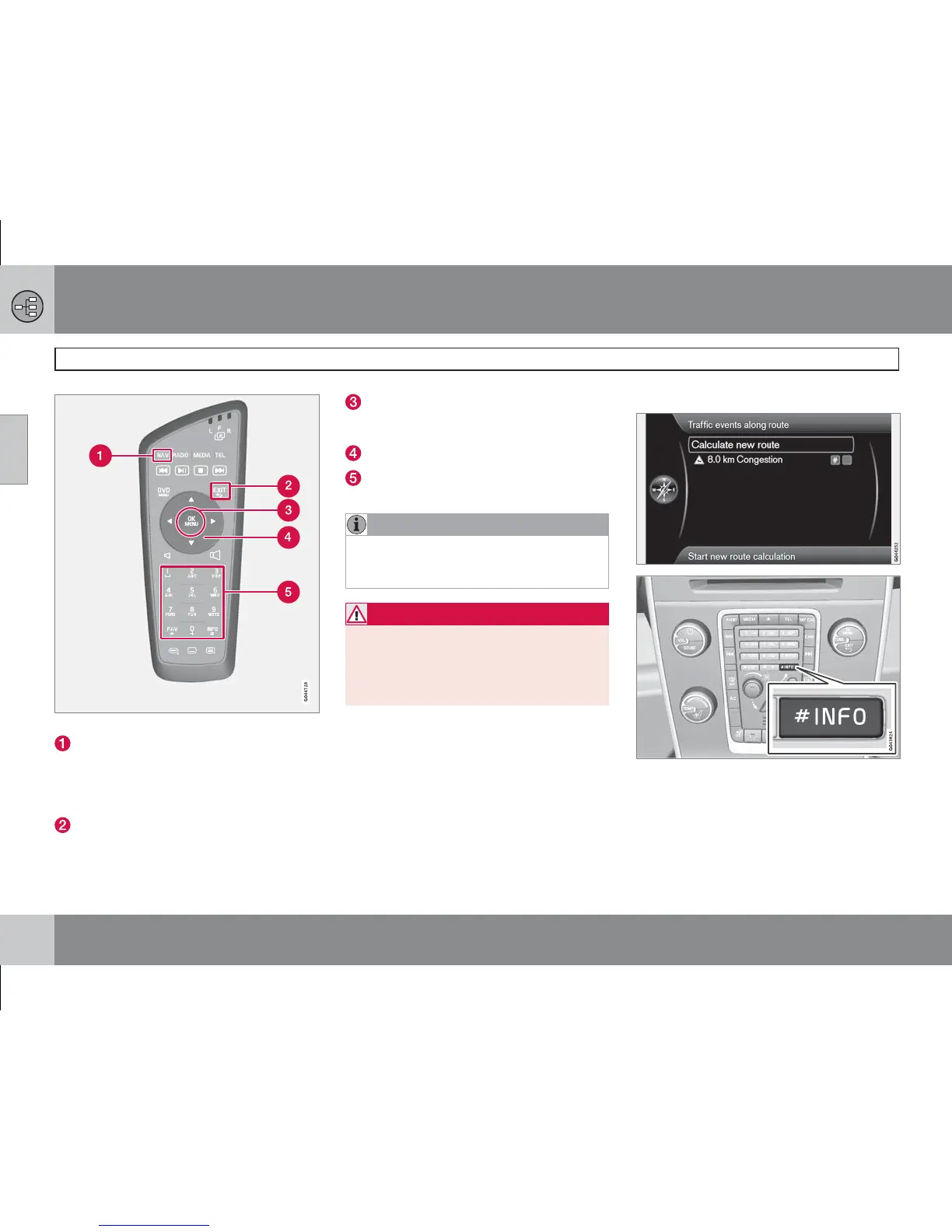
Remote control keypad for GPS navigation.
NAV activates the GPS navigator on the
display screen. The button also switches
between On/Off to display e.g. climate sys-
tem status on the top and bottom section
of the display screen.
EXIT goes back in the menu structure or
undoes a selection.
OK/MENU confirms or activates a selec-
tion. Described in this manual with the
OK button or "+ OK".
Arrow keys move the menu cursor.
Numerical keys enter data for address
and name search, and scroll on the map.
NOTE
If the remote control does not work try
replacing the batteries - it uses AAA-/R03
batteries.
WARNING
Store the remote control and other similar
objects in one of the storage compartments
- in event of hard braking and/or collision
such objects can cause personal injury or
other damage.
Voice recognition
See the next section.
Additional information
Sometimes there is more information available
than can fit on the menu bar - the line then ends
with the character: #.
To read the rest of the information:
•
Press the INFO button.



 To Next Page