03 Planning your trip
Itinerary
03
40
Menu overview
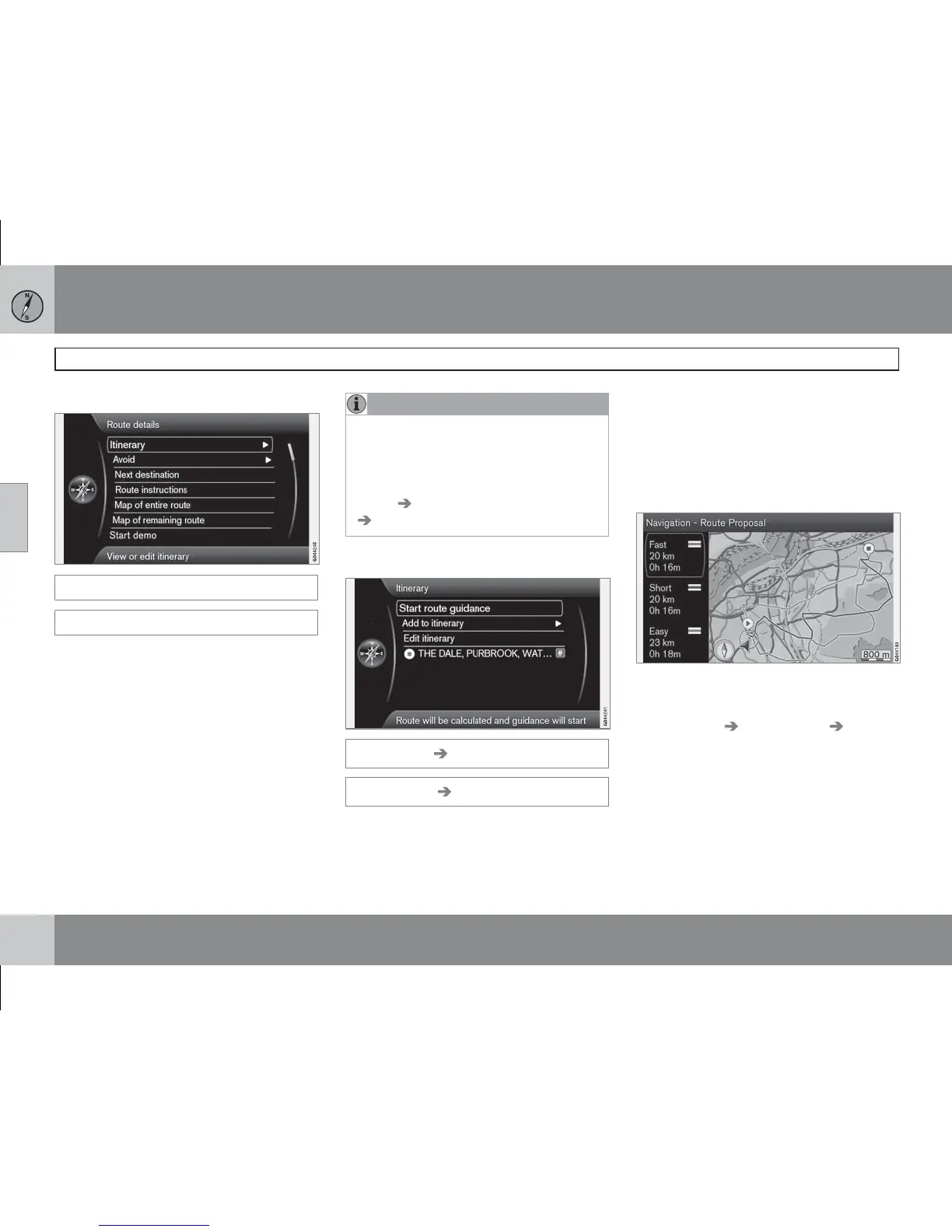
Route details
(Route details)
The system handles one itinerary (Itinerary) at
a time with a maximum of 8 intermediate des-
tinations.
The first specified destination is the journey's
Final destination - subsequent input destina-
tions are Intermediate destinations.
NOTE
The most recently added destination is
always Way point-1 - previous Way points
are increased a step: "Old" Waypoint-1
becomes Waypoint-2, etc.
If a new order is required - Go to Route
details
Itinerary, Mark a way point and
Move in list.
Enter an itinerary
Route details Itinerary
(Route details Itinerary)
Draw up an itinerary with several stops to avoid
entering destination after destination during
your trip.
One final destination with up to 8 intermediate
destinations can be specified.
Start guidance
(Start route guidance)
Cursor on Start guidance + OK activates cur-
rent itinerary.
Results with "Route proposal 3" ticked.
If the display of 3 alternative itineraries is preset
then the driver can select one of them, see the
menu Settings
Route options Route
proposals, page 45.
Add to itinerary
(Add to itinerary)
Adds an intermediate destination. Gives the
same menu as in "Set destination" - see
page 34.



 To Next Page