03 Planning your trip
Specify a destination
03
39
Select destination with GPS coordinates:
1. Place the cursor on the character to be
changed and press OK - the character win-
dow becomes "active".
2. Enter a digit using the centre console's
numerical buttons (or turn TUNE) - finish
with OK or place the cursor on the next
character - previous character window is
"deactivated".
3. Move the cursor to the next character loca-
tion to be changed and repeat.
4. With the cursor in both windows to the far
right, (or turn TUNE) the letters for the car-
dinal points -
N = 6, S = 7, W = 9 and E =
3 are entered.
5. When both coordinates are entered - mark
Add to itinerary + OK to add the location
to the itinerary.
Add to itinerary
(Add to itinerary)
Add the location of the selected coordinates on
the map to the itinerary.
Information
(Information)
Shows information available about the loca-
tion.
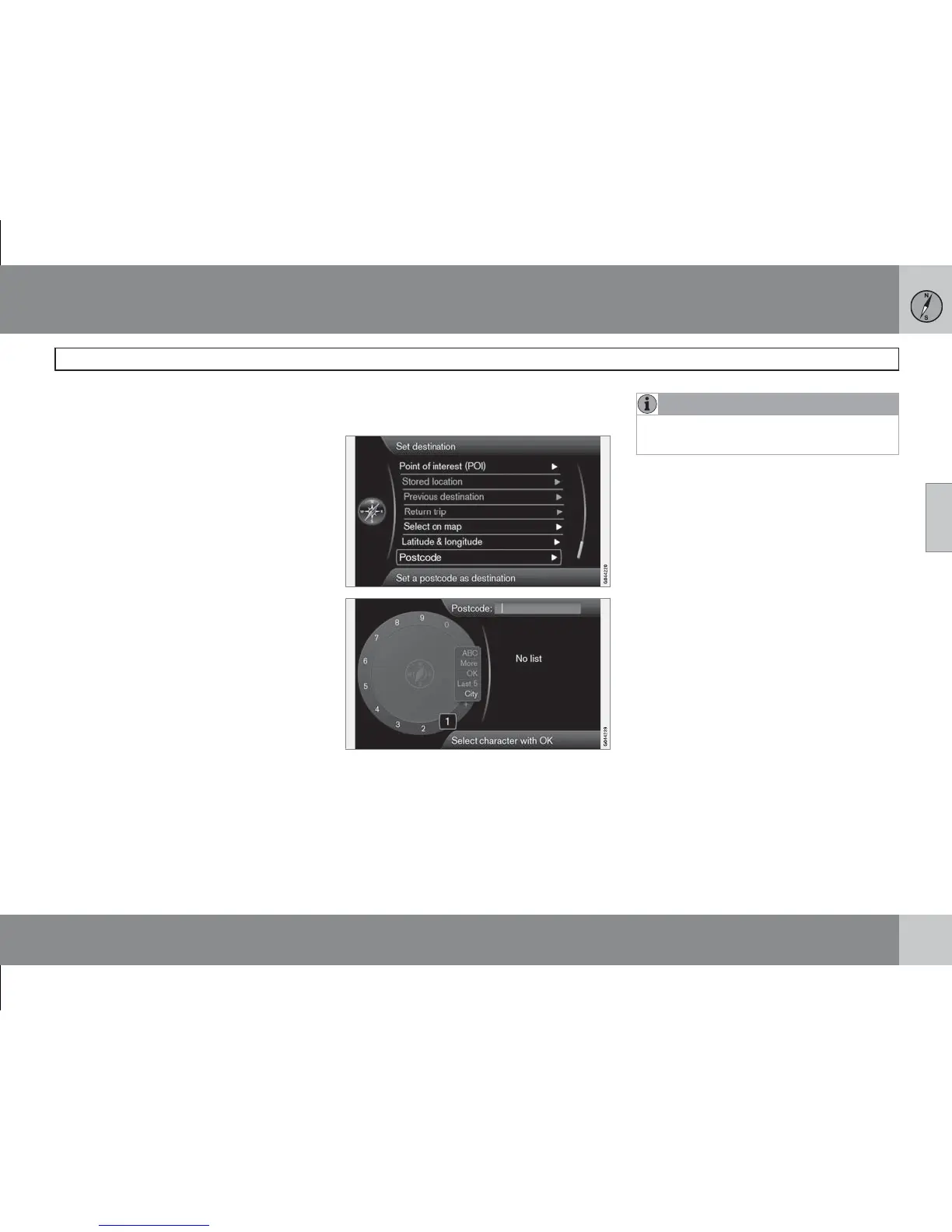
Post code
(Postcode)
Search destination by post code:
1.
Mark Postcode: + OK to view the "daisy
wheel".
2.
Select the characters using the TUNE
knob and enter them by pressing OK.
3. Or use the centre console's numerical but-
tons.
NOTE
Presentations of post codes may differ
between different markets/areas.



 To Next Page