03 Planning your trip
Specify a destination
03
38
•
Store (Store) - see more about this option
after the next image.
•
Delete (Delete)
•
Delete all (Delete all).
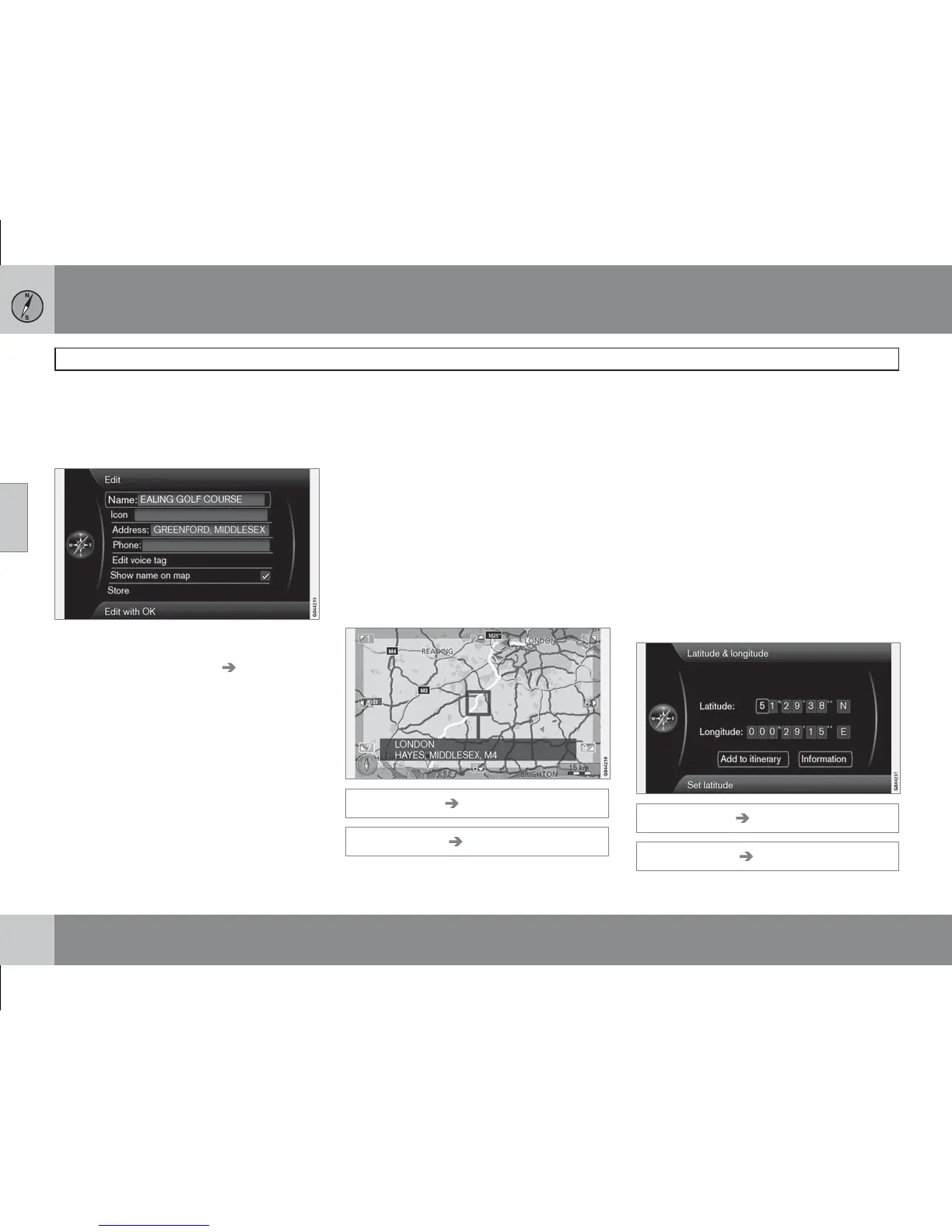
The optionStore shows this Edit menu.
The optionStore (Store) leads to the same Edit
menu as for Stored location
Edit.
For more information - see page 36.
•
To add/change information for the desti-
nation - Mark Store + OK.
Return trip
(Return trip)
Goes back to the itinerary starting point. Can
be selected anywhere/anytime in the itinerary.
Choose between:
•
Start guidance
•
Add to itinerary
•
Edit itinerary - Choose between Clear
itinerary
and Route options.
Search via point on map
(Select on map)
Set destination Select point on map
(Set destination Select on map)
Shows maps with current location pointed out
by a cursor. Also see the Scroll function on
page 28.
•
Turn TUNE to change the scale.
•
Move the crosshairs using the centre con-
sole's numerical buttons (6 moves to the
right, 8 moves down etc).
1. When the desired location has been found
- press OK
2.
Then select Add to itinerary or one of the
other displayed options.
Search via Latitude/Longitude
(Latitude & longitude)
Set destination Latitude & longitude
(Set destination Latitude & Longitude)



 To Next Page