03 Planning your trip
Specify a destination
03
``
37
The driver can store a large number of his/her
own locations in the system. They can then be
used to quickly draw up/supplement an itiner-
ary.
Store a location
To store a chosen location:
1. Use the Scroll function (see page 28) and
select the location to be stored.
2.
Press OK to display the "crosshair" menu.
3.
Select Store location + OK - now the
location is stored and is included in the list
Stored location.
Mark a stored location in the list + OK and
choose between the following options:
Add to itinerary
(Add to itinerary)
This option opens the same window as for Set
destination
Address Add to itinerary -
see page 40.
Information
(Information)
This option opens the same window as for Set
destination
Address Add to itinerary
Information - see page 35.
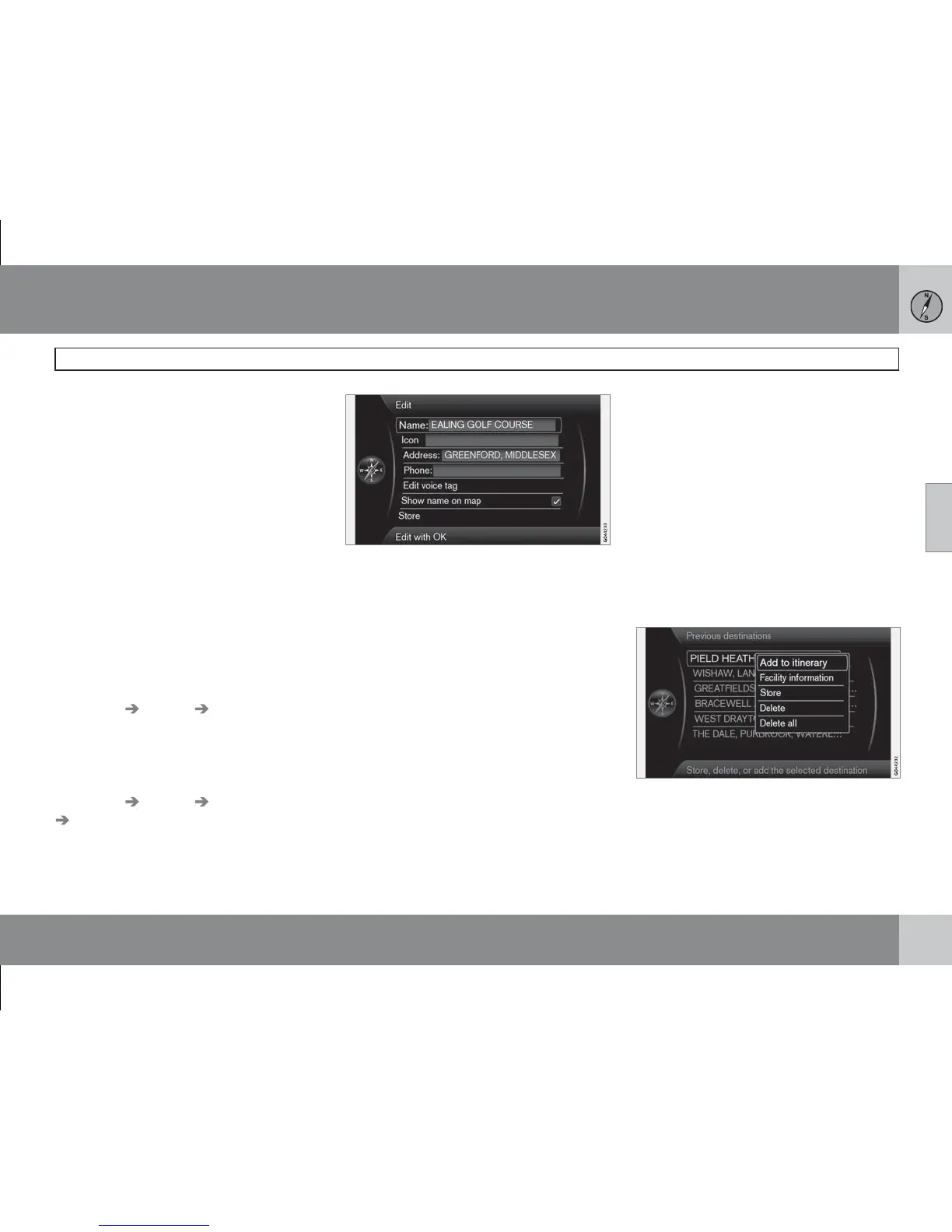
Edit
(Edit)
Opens marked Stored location and gives
option to change/update the following:
•
Name (Name) - Enter a name for the loca-
tion
•
Icon (Icon) - Select a symbol that repre-
sents the location on the map
•
Address (Address) - Enter an address
•
Phone: (Phone) - Enter a telephone num-
ber
•
Edit voice tag (Edit voice tag) - Record
your own sound (only in combination with
audio unit High Performance or Premium).
Follow the on-screen instructions.
•
Show name on map (Show name on
map) - Untick if the location name is not to
be displayed on the map.
•
Store (Store) - Save changes with OK.
Sort by
(Sort by)
Select whether stored locations are to be sor-
ted by:
•
Name
•
Icon
•
Distance
•
Chronological
Clear
(Delete)
•
Delete a marked stored location.
Previous destinations
(Previous destination)
Previously used destinations are stored here.
Mark one of them and then select between:
•
Add to itinerary (Add to itinerary)
•
Information (Information)



 To Next Page