03 Planning your trip
Specify a destination
03
34
Address
(Address)
There are several different ways to program a
destination.
It is sufficient to simply specify a city/district/
community and start the journey - it leads to
the centre of the community/district/city.
If a destination's latitude and longitude are
known then these can be entered.
See page 23 for information on how characters
are written/entered into the system's various
text fields.
NOTE
The definition of city or area can vary from
country to country, and also within the same
country. In some cases a metropolitan area
is indicated - in others an individual suburb.
City or street
The cursor first rests on Street (Street).
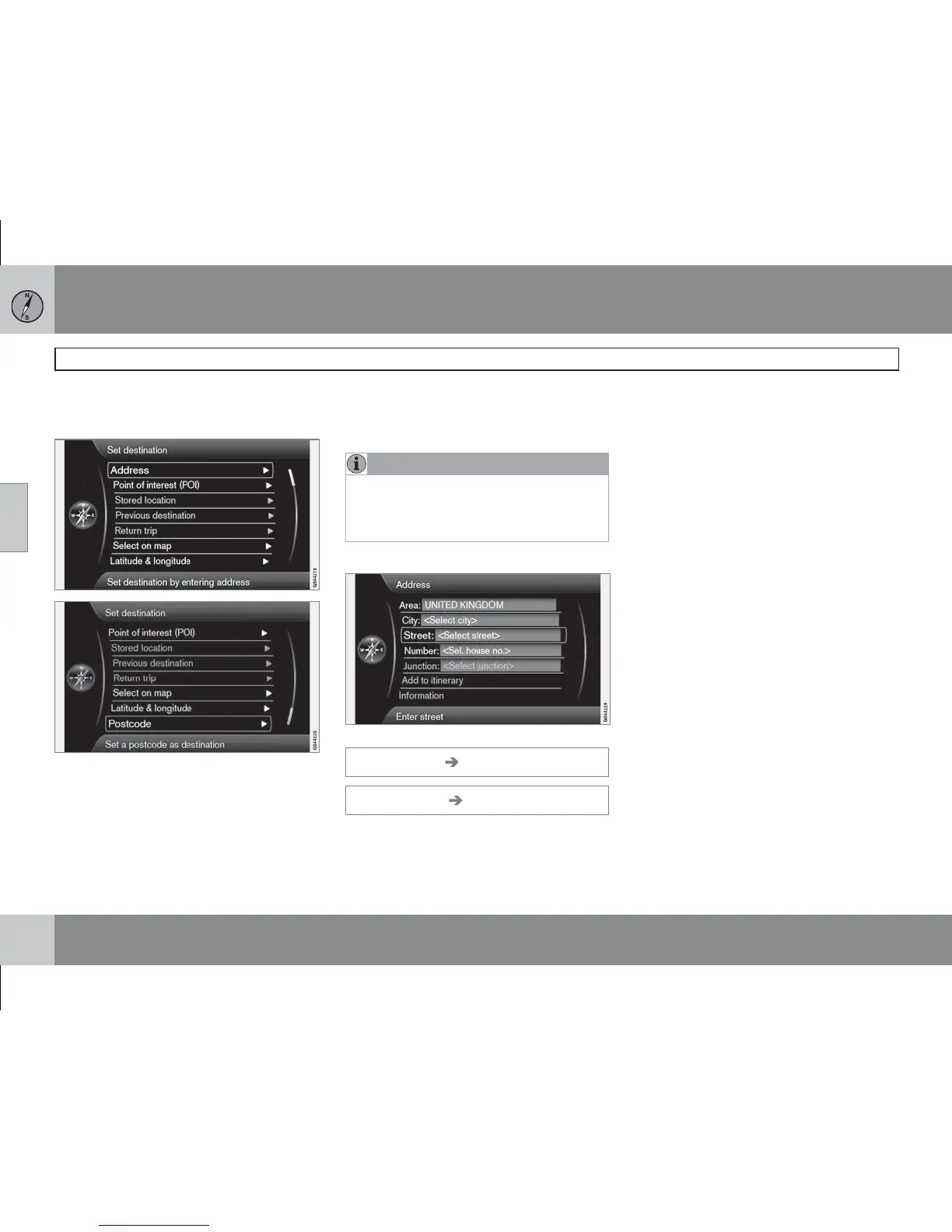
Set destination Address
(Set destination Address)
How to search and locate a destination:
1. With the previous image view on the dis-
play screen - Press OK to activate the pre-
set text box.
2.
Enter the street's name
Street: (Street)
with the "daisy wheel" and then select a
"suitable" City: (City).
3.
Or select City: (City) + OK and start by
entering it.
The following search criteria can be used:
•
Area: (Area) - Enter a country.
•
City: (City) - Enter the city/community/dis-
trict.
•
Postcode: - Under City: the search can
also be made using a post code.
•
Street: (Street) - Enter the street address.
•
Number: (Number) - Select one of the
street's house numbers.
•
Junction: (Junction) - Select a destination
based on where the two streets/roads
intersect.
•
Add to itinerary (Add to itinerary) - Select
+ OK to add the address to the itinerary.
•
Information (Information) - Select + OK to
view information about the selected desti-
nation.



 To Next Page