VONETS——WiFi Bridge/Repeater/Router
9
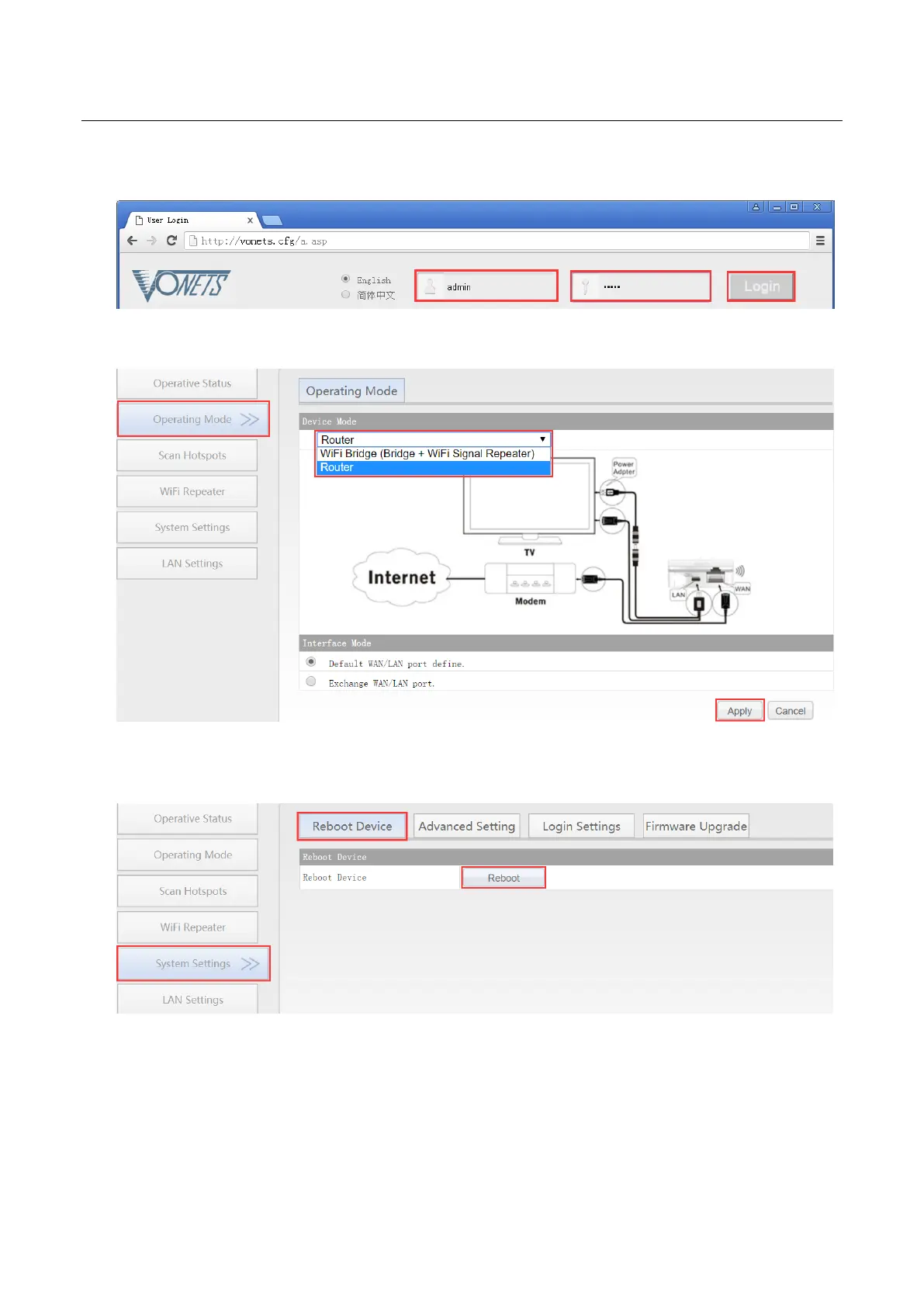
3. Enter User name and Password in login page (both are “admin”), click “Login” button to
enter configured page;
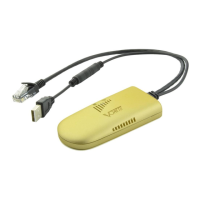
4. In “Operating Mode”, change Device mode to “Router” mode, click “Apply” Button;
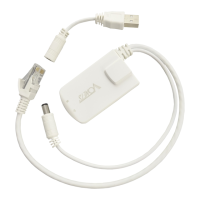
5. Reboot device: go to “System Settings”-- “Reboot device”, click “Reboot” button,
VONETS device will automatically switch to router mode.
3.2 WAN port settings
3.2.1 WAN/LAN exchange
In routing mode, the Ethernet port of VONETS device is divided into a WAN port and a LAN
port, and WAN/LAN can be interchanged.


 To Next Page