While it is valid to operate the combinaon
key and to turn on/off the device.
G. Custom Mode:
Press up and down buons at the same
me for 1.5s to enter the funcon menu
interface→Press up or down buon to
select the customizaon menu→Press
the fire buon to confirm and the display
will change to the Custom Mode
interface.
Under custom Mode, rapidly press the fire
buon for 3 mes to switch the 4 custom
mode opons: Stable power (W) mode
and the 3 TC control Modes:
TC-ss316/TC-Ni200/TC-Ti.
a. Press up or down buon to scroll
between modes M1 to M5.
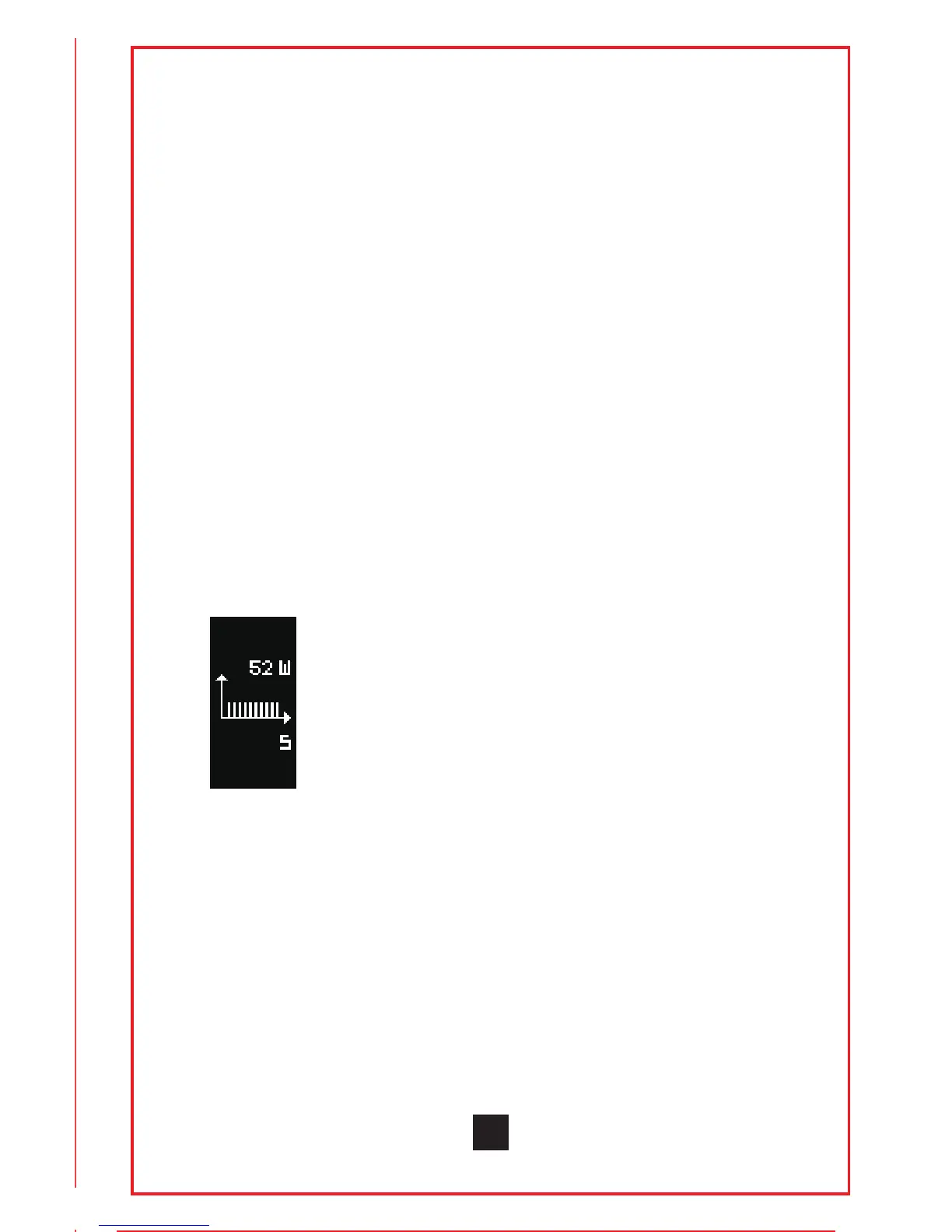
b. Press fire buon 4 mes rapidly to enter
the custom power or temperature curve
menu (Under power mode, the upper right
corner will show the adjustment power
value. Under TC custom mode, the upper
right corner shows the adjustment
temperature control value.)
Press up or down buon to make
adjustment→Press the fire buon and
move to the next increment→When you
finish the curve adjustment, press and
hold the fire buon for 1.5s to confirm and
save. The display will return to the custom
mode interface.
H. Sleep Mode:
If the device is not operated for 10s, the
screen will automacally turn off. Aer
15 minutes without any operaons aer
the screen turns off, the device will enter
sleep mode. If resistance was changed
7


 To Next Page