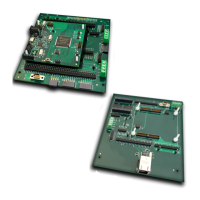
VA10800/VA10820 Evaluation Board User’s Manual
V3.0
32
{
cnt_100msec = 0 ; // reset counter
VOR_GPIO->BANK[0].TOGOUT |= (1 << PORTA_6_D4);
}
Compile, download and run the program.
6.2 LAB2 - Advanced input pin filtering and debounce of switch input.
The VA108xx comes with advanced filtering schemes to eliminate glitches being read and
wasting CPU time filtering them out. See IOCONFIG peripheral for more detailed information.
For this example, we will enable a pullup resistor in the port pin and have logic outside the CPU
sample the pin 5 times before signaling the state of the pin has changed.
Step 1: Set the sample period
We will use filter timer 1 for this purpose. By setting the clock divider to 100, we are
setting the sampling period to 100 CPU cycles.
VOR_SYSCONFIG->IOCONFIG_CLKDIV1 |= 100;
Step 2: Configure the IO pin
Set the pin configuration register for the following:
- Filter type (FLTTYPE) = sample 5 times
- Filter clock source (FLTCLK) = filter clock 1
- Pull level (PLEVEL) = pull up which is 0
- Pull Enable (PEN) = 1
VOR_IOCONFIG->PORTA[0] |= (4 << IOCONFIG_PORTA_FLTTYPE_Pos) | (1 << IOCONFIG_PORTA_FLTCLK_Pos) |
(1 << IOCONFIG_PORTA_PEN_Pos);
Step 3: Read the port pin
The pin can either be assigned an interrupt, can be polled directly or the IRQ_EVT bit
can be polled. The IRQ_EVT will indicate whether an event has occurred on that pin
since the last time it was cleared.
X = VOR_GPIO->BANK[0] -> DATAIN ;
7 Commonly asked questions
1. Code runs but no activity seen on the port pin. What is going on?
a. Two items to check are:
i. Make sure that the peripheral clock is enabled for all the active
peripherals. See PERIPHERAL_CLK_ENABLE Register in the programmers


 To Next Page