15 14
1500
Rangef inder
scan Feature
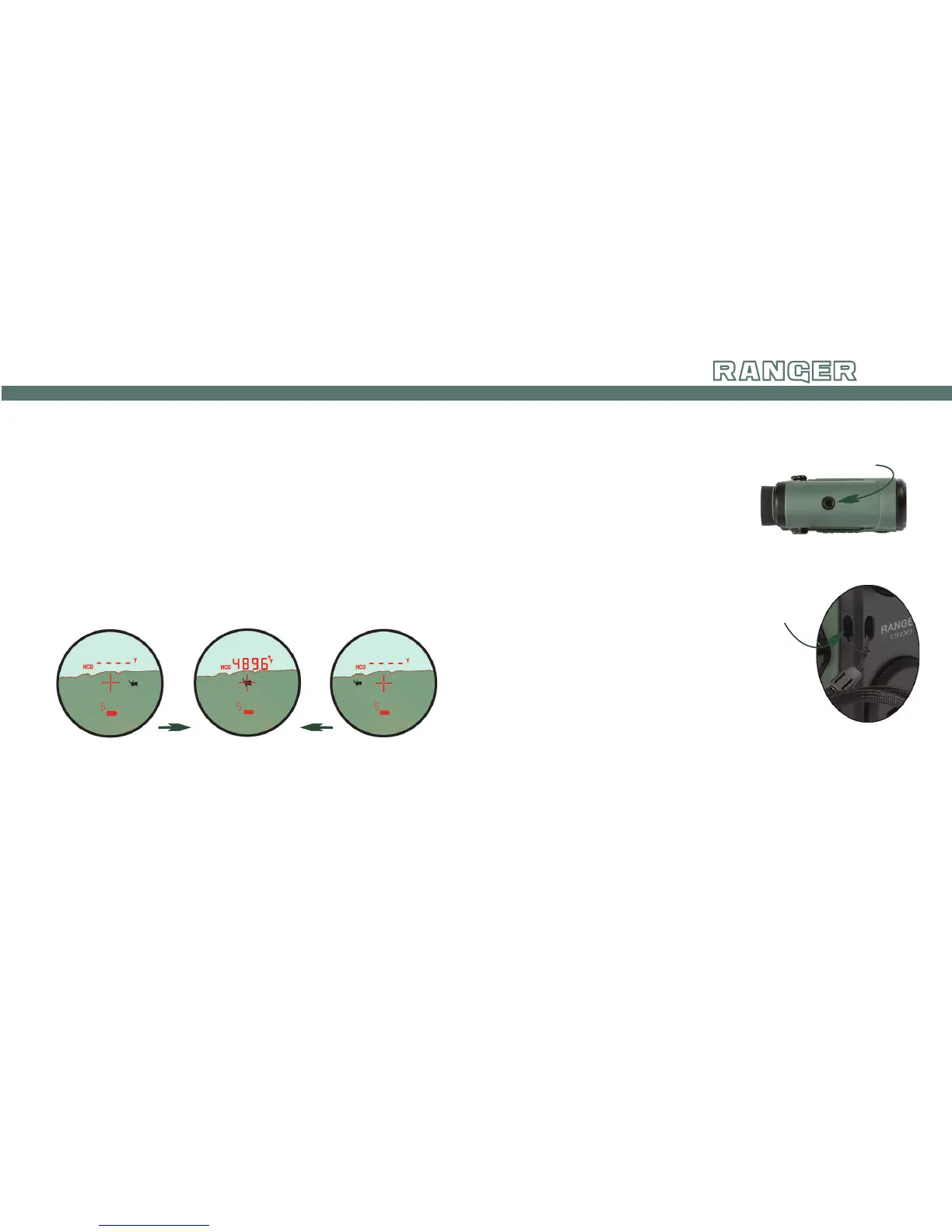
The Scan feature can be used to range moving targets or
help range smaller targets on uniform backgrounds in either
HCD or LOS modes. Once powered up, press and hold the
Measure button and scan laser back and forth, watching for
changes in the yardage number as crosshairs move across the
target object. A blinking “S” display indicates Scan Ranging
is activated.
Scanning to get range:
Scan back and forth, watching for
yardage number to display or change.
Maintenance
• Use lens brush to remove dust or grit from lenses.
• Use a clean lens cloth or tissue to remove smudges or
smears from lenses.
• Store rangefinder in a dry location away from direct
sunlight.
Tripod Socket
Loop lanyard through
attachment sockets.
tripOd use FOr ranging
Using a tripod to steady the
rangefinder will increase your
ability to range small targets at
longer distances. If the Ranger
1500 is used on a tripod,
the reticle may appear tilted
depending on tripod level.
lanyard
When not using a tripod,
the lanyard provides a
secure way to carry your
rangefinder.



 To Next Page