16. TROUBLE SHOOTING
How to Close Applications
When an application is not responding, you
can manually shut the app down in
“Running Services” menu. This will ensure
the system responds as desired. Please shut
down all idle applications to release memory
and get the system speed back to normal.
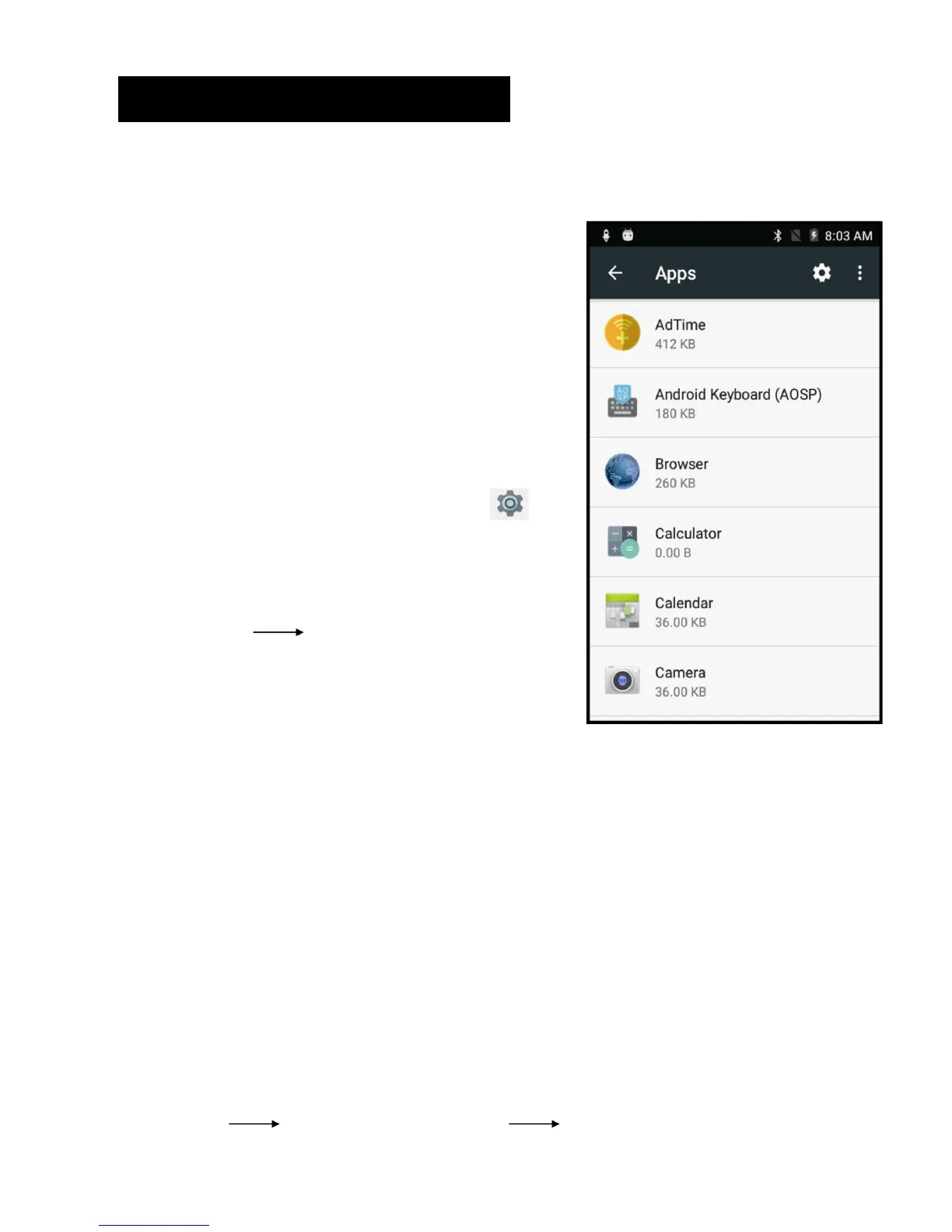
To close the application, click the icon on
the shortcut bar to enter the system
configuration interface. Select
Application Running and the interface
is shown as follows:
Tap the application you want to close. A pop‐up window will be displayed.
Tap “Stop” to close that application.
Power “OFF” / Restart / Reset the Phone
1. Press and hold the power button for 5 seconds and the device will be
powered down.
2. Press the reset button located under the power button with a sharp
object and the device will be forced to restart.
Restore Default Setting
If you want to reset the phone to factory settings and erase all materials,
please press
Settings Backup and reset Factory data reset.



 To Next Page