64
ENGLISH
PART NAMES AND FUNCTIONS
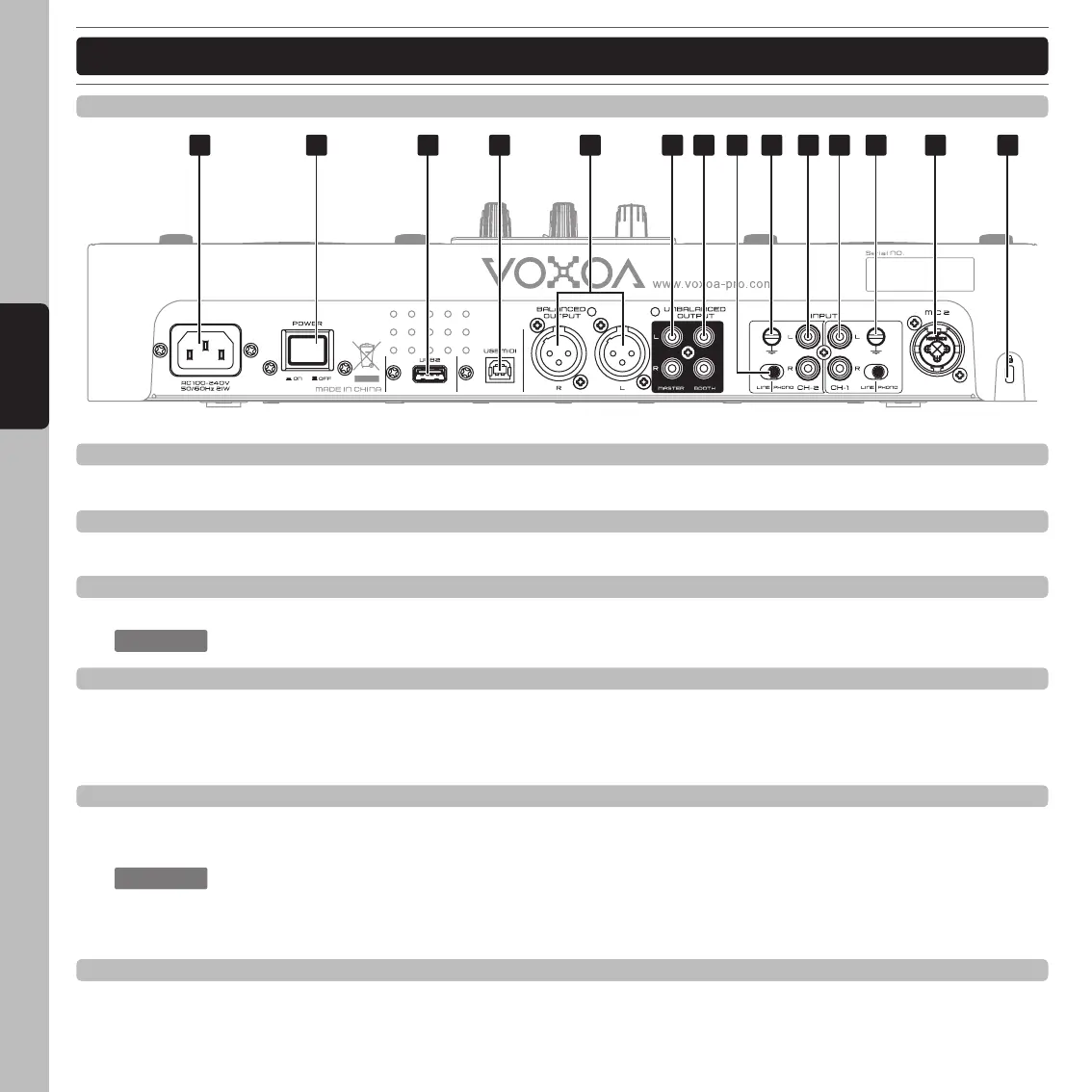
75. AC inlet
Use the accessory power cord to connect to an AC power outlet.
76. Power switch
Turn this unit power ON/OFF.
77. USB 2 port
The port use to connect a USB memory device.
: Please turn on the power before you plug USB storage devices.
78. USB MIDI port
Connect the included USB cord to the USB MIDI port and to your computer. This port is intended only for MIDI
assignments (e.g. control of DJ software). In the operation system the player will be automatically recognized
without any special drivers.
79. Balanced XLR Master Output jacks
The master output includes a pair of XLR BALANCED jacks. The 3-pin XLR jacks send a high current balanced
output signal.
: These jacks should be used when you will be driving an amp or other audio equipment with
a balanced input, or whenever you will be running a signal line greater than 15 feet. Always,
use these jacks whenever possible.
80. RCA Master Output jacks
The RCA jacks send a low current unbalanced output signal.
REAR PANEL
75 83 83 85 8676 77 78 80 81 84 848279



 To Next Page