4 APS901Z Owners REV.C
Using Your Security System (Optional)
System Arm
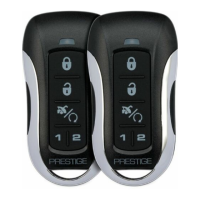
To arm and lock the vehicle doors press and release the
button One (1)
time. The LED on the antenna will ash one time while armed.
System Disarm
To disarm and unlock the vehicle doors press and release the
button two
(2) times.
System Override
To disarm the system without the use of the remote control, locate the valet
button on the windshield mounted antenna.
1. Enter the vehicle.
2. Turn the vehicle ignition to the ON position.
3. Press and release the valet button on the antenna one (1) time.
The system is now disarmed and will remain disarmed until the
button is
pressed.
Valet Mode
Valet mode allows the user to Lock or Unlock the vehicle without Arming the
security system. To enter or exit valet mode:
1. Turn the vehicle ignition to the ON position.
2. Press and hold the valet button for ve (5) seconds. The LED on the
antenna will turn on solid.
Remote Starting Your Vehicle
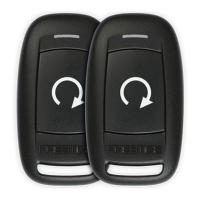
To activate the remote start, press and hold the
button for three (3)
seconds. The vehicle will start and run the predetermined time set up during
installation (5 to 60 minutes selectable).
Remote Start Shutdown
Press and hold the
button for three (3) seconds to turn the vehicle o.
Pressing the vehicle’s brake will also shutdown the remote start.



 To Next Page