13
Status Icons
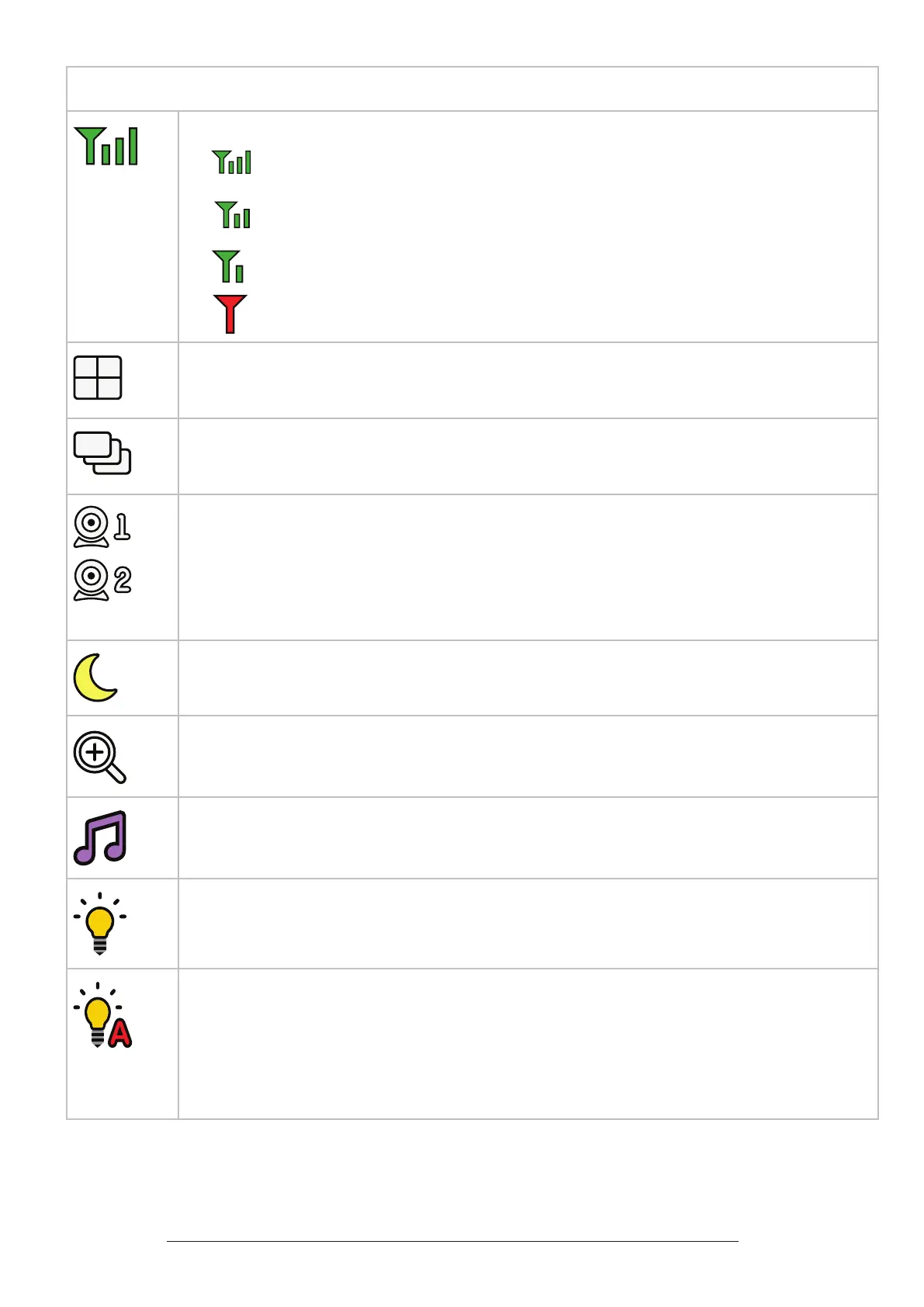
Connection status
• - Strong signal strength
• - Moderate signal strength
• - Low signal strength
• - Weak signal strength
Split mode
(*For BM5350N-2 only)
Patrol mode
(*For BM5350N-2 only)
or
Current view status
• The baby unit number that is being viewed when in:
- Single CAM mode.
- Patrol mode (*For BM5350N-2 only)
- Split mode (*For BM5350N-2 only)
Night vision - On
Zoom - On
Lullaby - On
Night light - On
Night light - Auto-on
• Colour icon indicates the night light is set to auto-on, and is currently turned on
by sound activation.
• Gray icon indicates the night light is currently o but is set to auto-on. Night light
will turn on when sound is detected by the baby unit.


 To Next Page