10
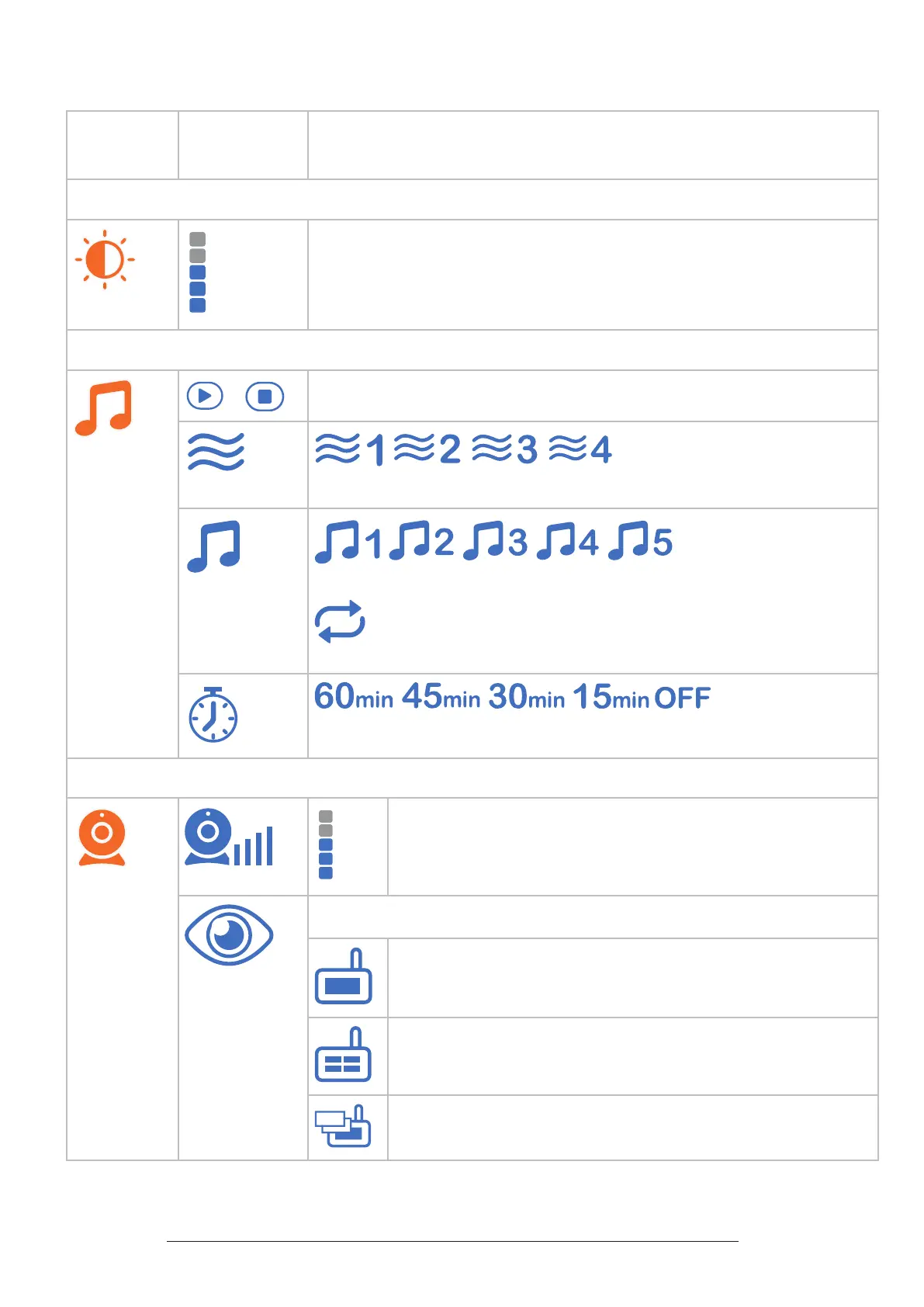
Parent Unit Icons
Main
Menu
Sub-
menu
Options
Brightness
• Adjust the parent unit’s LCD brightness.
Lullaby
/
Play/Stop lullaby
• Select one of the soothing sounds, or white noise.
• Select one of the ve melodies.
• Play all melodies.
• Set timer to stop playing the selected melody or soothing sound.
Camera Settings
Baby unit speaker volume
• Adjust the baby unit’s speaker volume.
Monitoring mode (For BM5350N-2 only)
• Single mode
• Split mode
• Patrol mode


 To Next Page