31
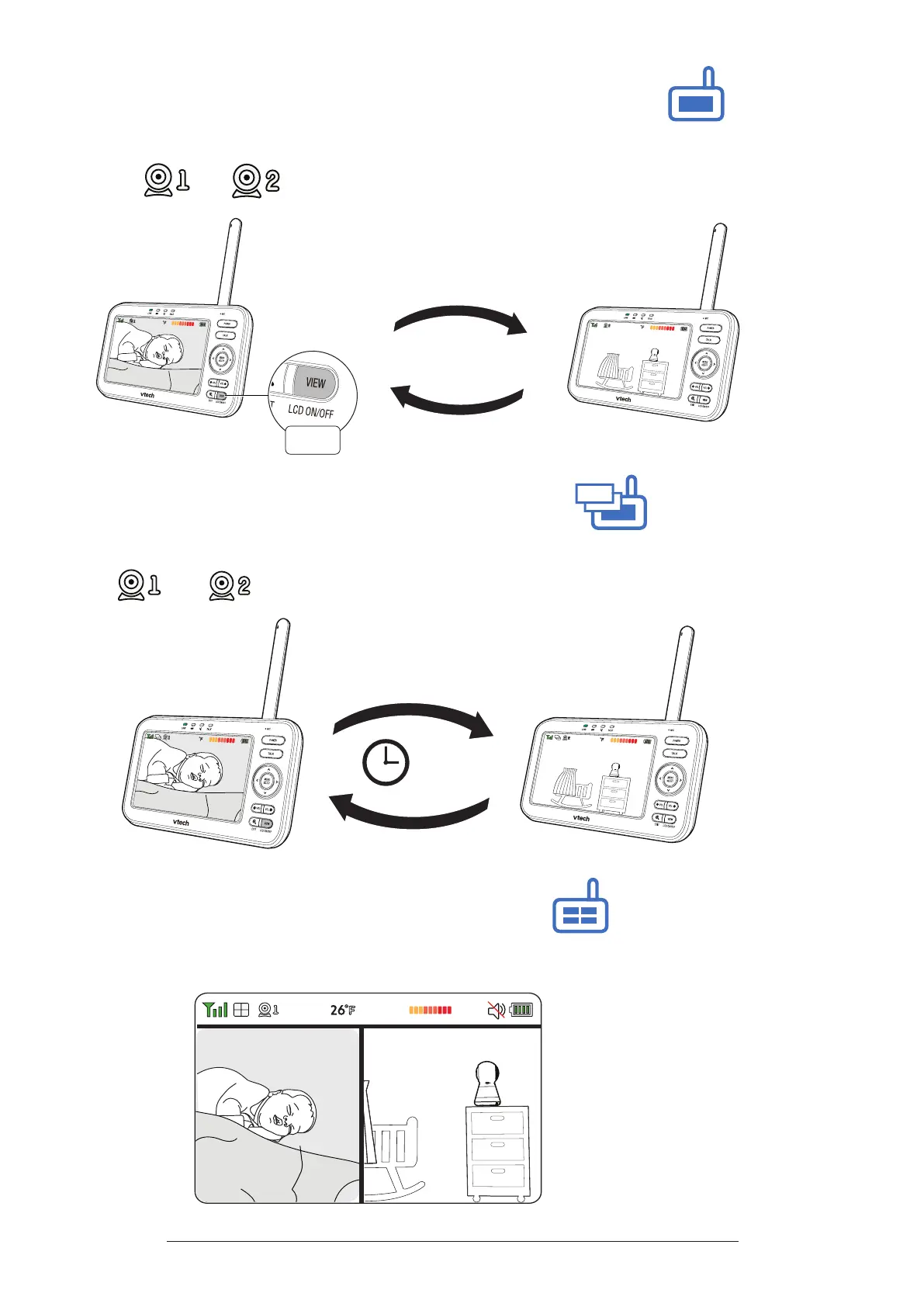
Change dierent views - Single CAM
In Single CAM or Patrol mode, press VIEW to switch between the image of baby
units and .
Press VIEW
26
Press
Change dierent views - Patrol
Select Patrol as your monitoring mode to alternately view the image from baby
units and every 10 seconds.
10s
26
Change dierent views - Split
Select Split as your monitoring mode to view the images from both baby units at
once.


 To Next Page