11
or you can transfer music to your InnoTab
®
2 from your computer using
Learning Lodge Navigator
®
. Expand InnoTab
®
2 memory by inserting an SD
memory card (not included). Connect your InnoTab
®
2 to Learning Lodge
Navigator
®
and select File Manager to transfer music. See the Connecting
to a Computer section on page 18 for more details.
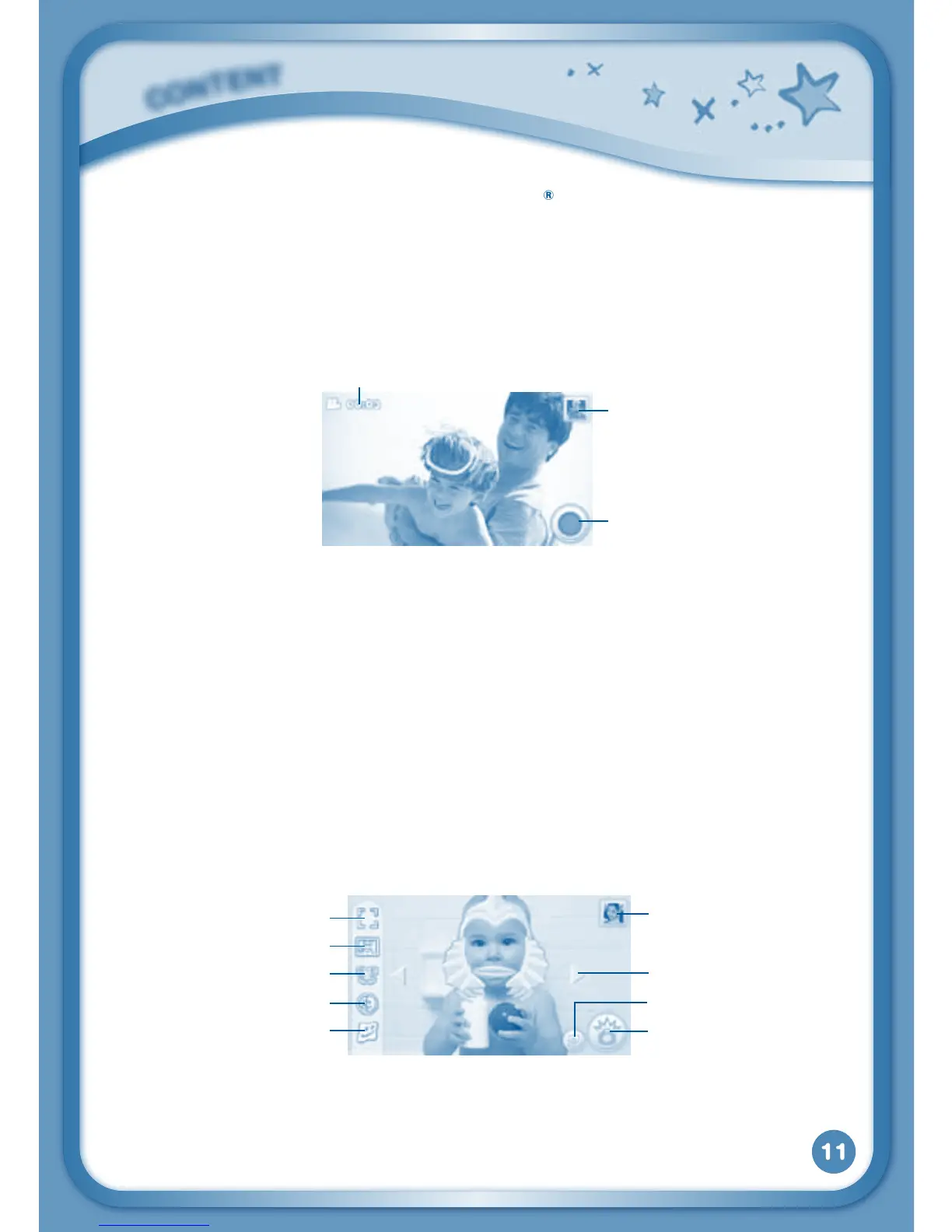
Video Recorder
Touch the Video Recorder icon to record video. The maximum recording
length for each video is 5 minutes.
Time - This is the elapsed time of the video now recording.
Record button - Touch this to start/stop recording.
Thumbnail-Touchthistoviewthevideoyouhavejusttaken.
WARNING:Videorecordingmaytakeupmemoryquickly.ConnectyourInnoTab
®
2
to Learning Lodge Navigator
®
and select File Manager to back up your videos to your
computer regularly. See Connecting to a Computer Section on page
18 for more details.
Camera
Touch the Camera icon to take photos with fun decorations and effects.
Normal Mode - Touch this to take a photo without any decoration or effect.
Sticker Mode - Touch this to take a photo with a silly sticker.
Frame Mode - Touch this to take a photo with a frame.
C
O
N
T
E
N
T
Normal Mode
Thumbnail
Arrows
Shutter
Face Detection
Sticker Mode
Frame Mode
Kaleidoscope
Funny Face
Time
Thumbnail
Record button



 To Next Page