20
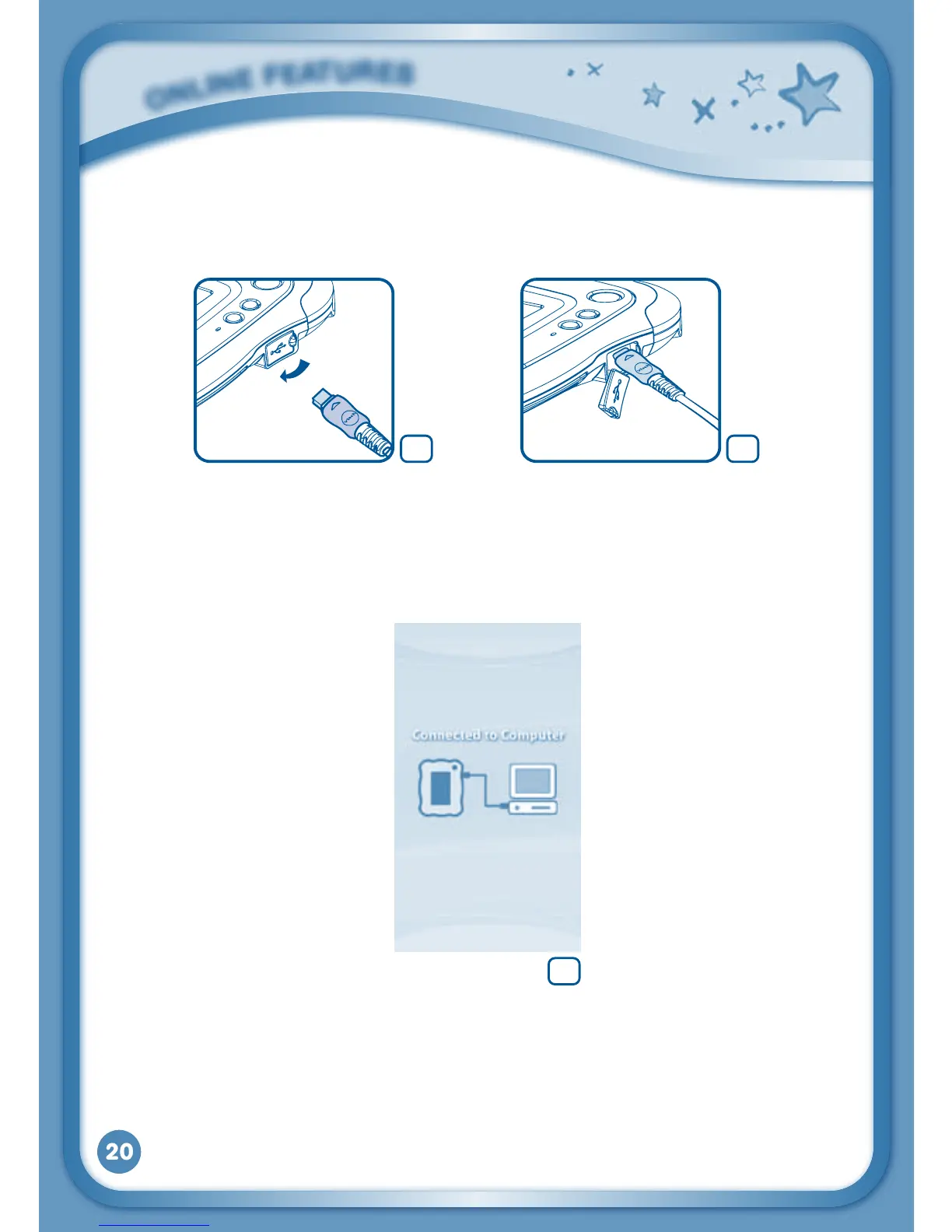
•InsertthelargerendoftheUSBcableintoaUSBportonyourcomputer.
TheUSBportisusuallymarkedwiththesymbolthatappearsontheUSB
port cover of your InnoTab
®
2. Please refer to images 5 & 6 below.
AfterconnectingtoyourcomputerwiththeUSBcable,yourInnoTab
®
2
screen will show a Connected to Computer screen (image 7). For help
using the Download Centre refer to the Help section of the Learning
Lodge Navigator
®
.
O
N
L
i
N
E
F
E
a
T
u
r
E
S
7
65



 To Next Page