5
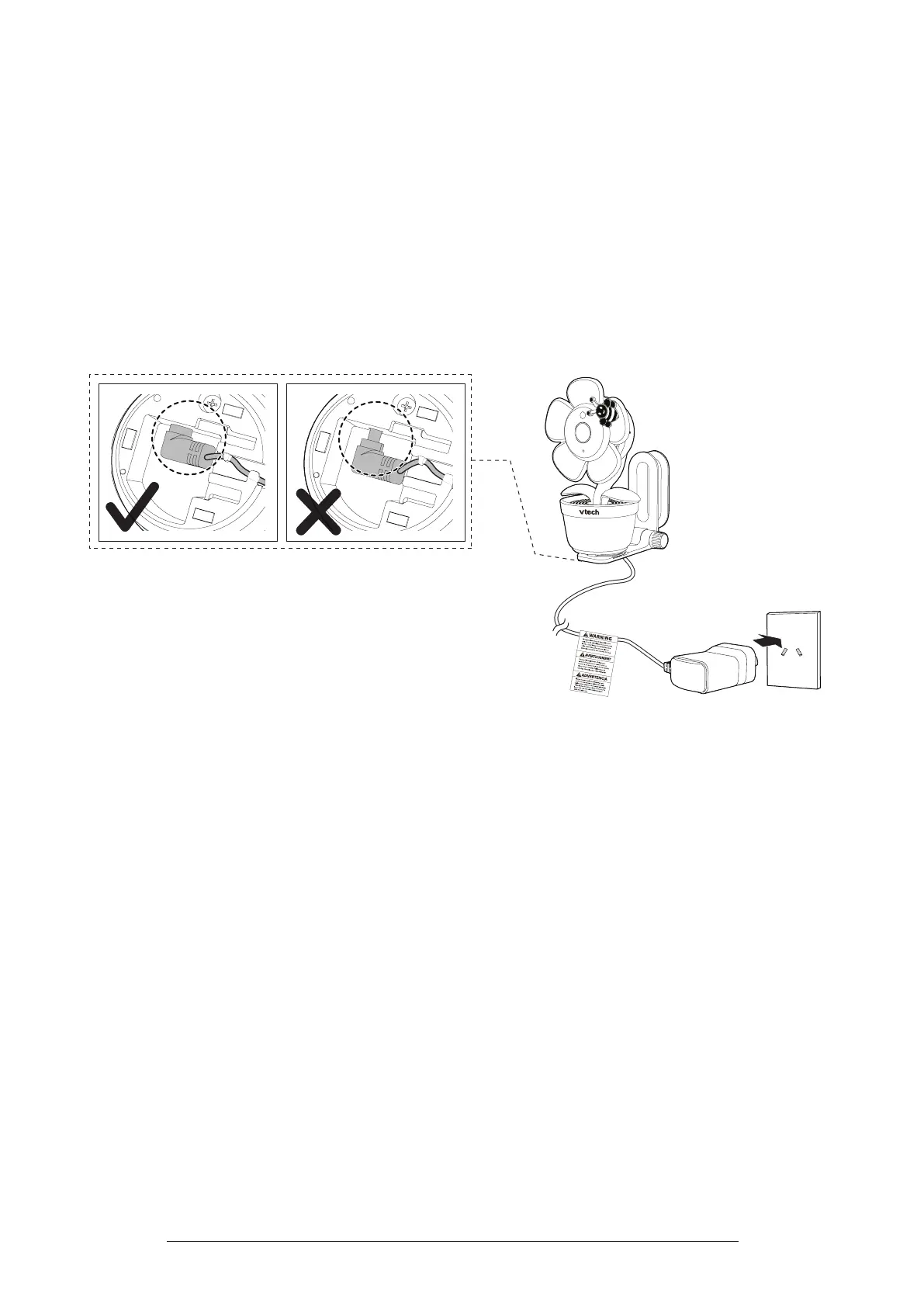
Connect and Power on the Camera
Connect the power adaptor to the camera and a power supply, then the camera
powers on automatically.
Notes:
• Use only the power adaptor supplied with this product.
• Make sure the camera is not connected to an electronically controlled electric outlet.
• Connect the power adaptor in a vertical or oor mount position only. The adaptor’ prongs are not designed to
hold the weight of the camera, so do not connect it to any ceiling, under-the-table, or cabinet outlets. Otherwise,
the adaptor may not properly connect to the outlet.
• Make sure the camera and the power adaptor cord are out of reach of children.



 To Next Page