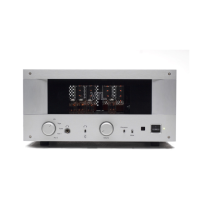
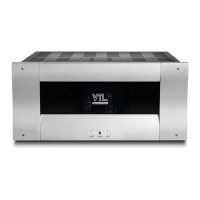
1. Connect all source components (e.g. CD, Tuner, Tape, DAT, Video Player etc.)
to the inputs on the preamplifier.
For example, connect the output cables from
the CD transport to the CD input connectors of the preamplifier. Make sure that
the preamplifier and the source components are powered off. Use appropriate
interconnects for the different sources. If a direction indicator is printed on the
cable make sure that the cable is connected to the source and the preamplifier in
the appropriate direction (arrows flowing in the direction the signal will travel, ie.
from the source to the preamplifier.) It is also important that the left and right
channels from the source components are connected to the corresponding left and
right channels of the preamplifier.
2. Connect the power amplifier to the output channel of the preamplifier. The
interconnect cable between the amplifier and the preamplifier links the left and
right input channels of the power amplifier to the left and right output channels of
the preamplifier. The low output impedance of the preamplifier is capable of
supporting long interconnects up to 35 feet, and can also easily drive transistor
amplifiers. There are two sets of output connectors available from the
preamplifier so that a second pair of amplifiers can be connected to the system.
The second pair can either be used for bi-amping or to drive a subwoofer in the
system. When connecting more than one pair of amplifiers in parallel it is advised
that you be aware of the different input impedance, sensitivities and resultant input
impedance. If you have any questions about this then you should contact either
you dealer or the manufacturers of your amplifiers, or contact the VTL factory
service department.
3.
Connect the Surround Sound Processor to the preamplifier. To take advantage
of the Surround Processor loop capability, connect the Right and Left output of the
Home Theater processor to the Processor In on the preamplifier.
4. Connect the Tape Monitor input and output channels to the preamplifier. To
take advantage of the Tape Monitor capability, connect the Tape Out on your tape
deck to the Tape In on the preamplifier and connect the Tape Out on the
preamplifier to the Record In on your tape deck.
5.
Connect the Phono stage to the preamplifier. If your preamplifier comes with
the optional phono board, you can connect the output from your turntable to the
Phono/Aux 2 input channel of the preamplifier. Use the Ground connector on the
preamplifier so that you can insert the ground wire from the turntable into the
space between the connector and chassis. Be sure to tighten the Ground connector
and make sure that it makes a firm contact with the wire.
TL2.5 Preamplifier Owner’s Manual
VTL
8


 To Next Page