3. Use the remote control’s volume button to adjust the desired playing level.
Increase the volume by pressing the up arrow button on the remote control.
Decrease the volume by pressing the down arrow button on the remote control.
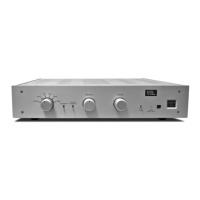
4. If the system is in mute, (i.e. the Status LED on the preamplifier’s front panel is
flashing), press the round mute button on the remote control to reset the system
out of mute mode and put it into operating mode.
Note that pressing the
volume up arrow on the remote control unit will also reset the system out of
mute mode. On the other hand, pressing the volume down arrow will not
affect the mute/operating state of the preamplifier.
Powering the system off
1. When you’re done listening to your system always turn your power amplifier(s) off
first. Allow a short time (15 - 20 seconds) for the amplifier(s) to power down after
you turn them off.
2. Then turn the preamplifier volume down. This is a precaution to avoid a sudden
surge in your system the next time you turn it on.
3. Turn the preamplifier and source components off, if you prefer to keep these off
when not in use. (You may keep your VTL preamplifier and your source
components on permanently if you prefer to keep them warm.)
TL2.5 Preamplifier Owner’s Manual
VTL
10


 To Next Page