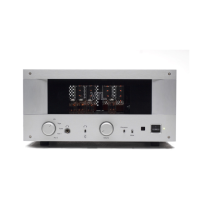
switch on the TL2.5 front panel to the default operating position (down). The
source components and the TL2.5 are now driving the front speakers, giving you
the full volume control and source selection.
When you want to use your system for home theater, set the TL2.5’s Processor
switch to the Processor position (up). Under this configuration the TL2.5 receives
the external surround processor's signal for the front left and right channels
directly from the external surround processor, and passes it directly to the power
amplifiers without amplification or attenuation. This means that in this mode the
volume control and the amplification stages of the TL2.5 are bypassed completely,
and the signal is passed to the front left and right amplifiers at precisely the same
volume as the surround processor is putting out. This gives the external surround
processor the volume control of these channels while controlling the center, rear
and subwoofer channels at the same time.
Caution: Before switching the Processor switch to either the up
or down position ensure that you adjust the volume of the
TL2.5 and the surround processor to a low level to protect your
system from high signals that might come through.
Caution: If you do not have a surround processor connected to
the TL2.5’s Processor In input, you may get a slight buzzing
sound when you set the Processor switch to the up position,
which comes from the open input of the power amplifier. This
slight buzz will not damage anything in your system.
Using the Tape Loop to monitor recordings
If you use a tape deck that gives you the capability of monitoring the recording, i.e.
listening to the recording while it is taking place, you can use the TL2.5’s Tape Loop
switch to take advantage of this feature. Connect the tape’s input and output cables to
the TL2.5’s Tape Out and Tape In connectors, respectively, as per the instructions in
the Getting Started section of this manual. While the tape deck is in recording mode, set
the preamplifier to Tape mode (switch in the up position.) This allows the preamplifier
to play back the recording simultaneously while the tape is recording. The volume of
the Tape monitor input is regulated by the main volume control on the TL2.5 in this
mode.
Caution: Before engaging the Tape monitor switch be sure to turn
the volume control all the way down. If your tape deck does not
have a monitor feature (sometimes called a 3rd head), then
connecting to the TL2.5’s Tape Loop may result in a loud hum
through the system whenever the Tape Loop switch is engaged.
TL2.5 Preamplifier Owner’s Manual
VTL
12


 To Next Page