User Manual VTRON LCD Display Panel
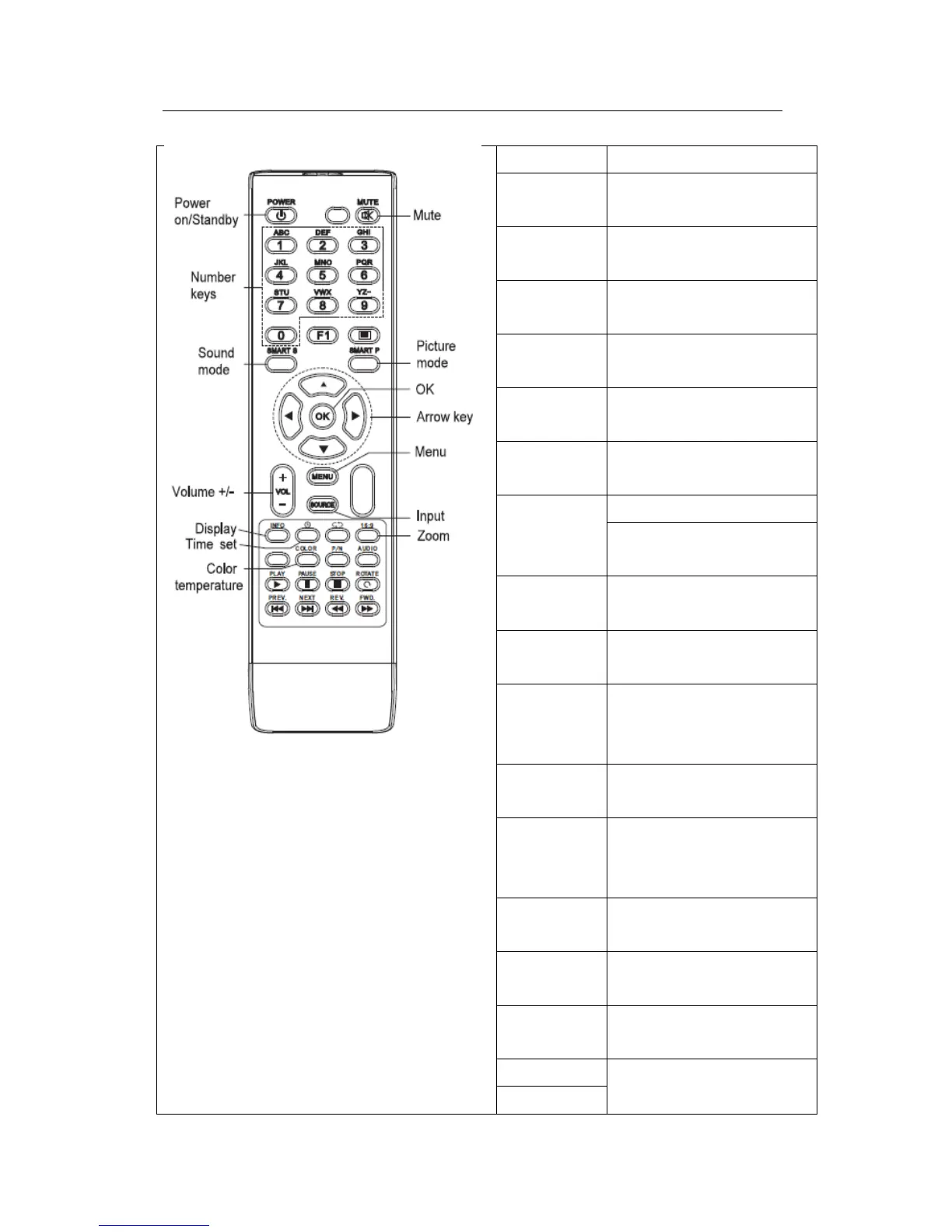
The key for switching between
normal state and standby state
The key used to enable/disable
sound function
The key used to
freeze/defreeze the image
The key used to switch sound
modes
The key used to switch picture
modes
Left/right: adjust the value of
the menu item
The confirmation operation
Key
The key used to
increase/decrease volume
The key used to display main
menu and return to the upper
level menu
The key used to display signal
source selection menu
The key used to display/cancel
the display panel’s address
number
The key used to shut down the
display panel at preset time
The key used to switch the
display modes
The color temperature
switching key
Operation in USB mode (not
used)



 To Next Page