Basic Operation
About: view the application version and updates the application.
Remote(Control by Virtual buttons)
Your cell phone can be a TV remote control. You can use Virtual Buttons to control
the TV in the application, such as Off, Home, Menu, Back, Prog+/-, Vol+/-, etc. In
order to achieve the function of arrow keys that right and left, up and down, you just
need to slide in the blank interface of the middle screen. Let you control the TV
without remote.
Game(Game remote controller)
Click to active sport ++game pad.
Click to active touch game pad.
Click to active standard G-sensor game.
Click the four direction keys, Ok key, Menu key, Back key to Executive
game-related operations.
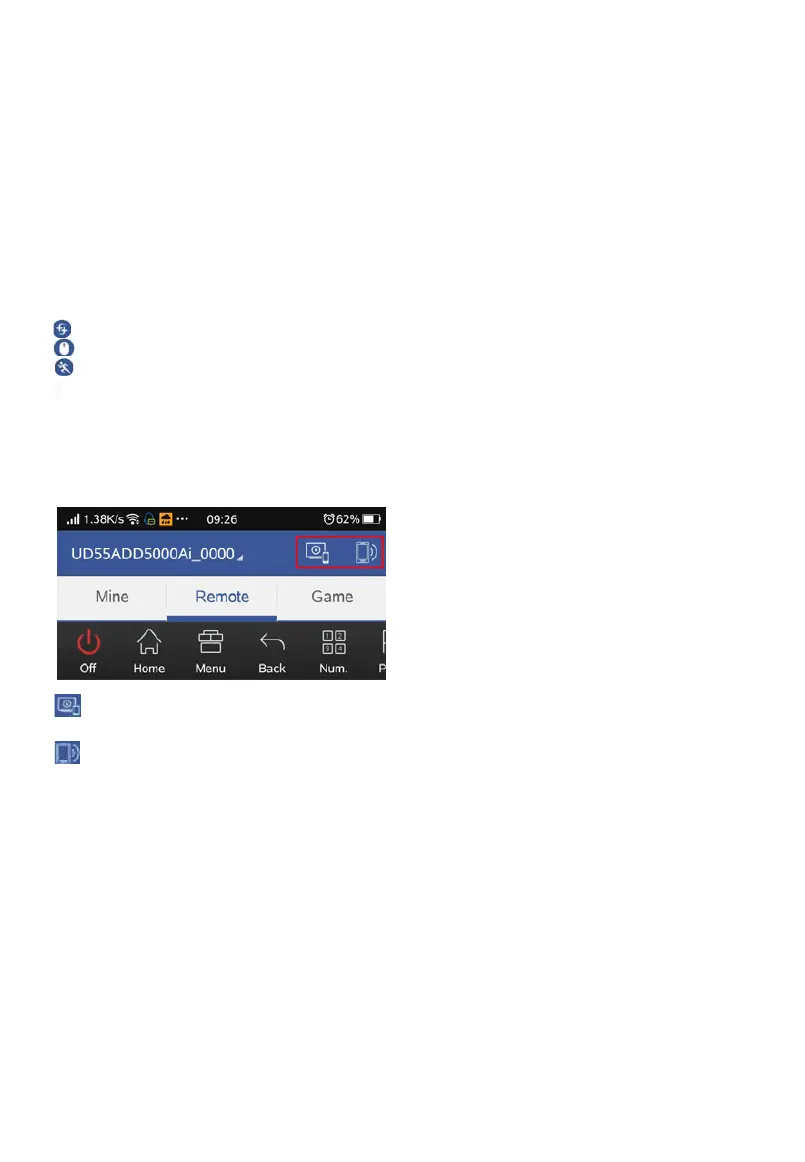
TV to phone and Sound to phone
Click to copy from TV screen and choose the streaming quality.
Click to get sound from the TV.
Note:
※ If there is a mobile version problem cause the application install fails, please
upgrade your phone version.
※ In case of functional changes in the application side, application side shall
prevail.


 To Next Page