EasyManua.ls Logo

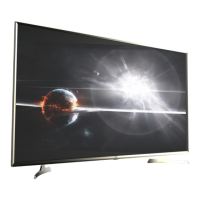
VU LED32D6545 - User Manual

VU LED32D6545
28 pages
Print Icon
To Next Page IconTo Next Page
Loading...
01
1.Important Safety Information
Warnings ........................................................................................................................ 01
Safety Precautions Instruction ....................................................................................... 02
2.Accessories ............................................................................................................. 05
3. Installing the LED TV
Installing the Stand ........................................................................................................ 06
4. Overview of the TV set
Front View ...................................................................................................................... 07
Rear View ...................................................................................................................... 08
5.Connect External Devices
Connect the Power Cord ............................................................................................... 09
Conect to Antenna or Cable ........................................................................................... 09
Connect Device Via HDMI interface .............................................................................. 09
Connect Device Via Component(Y/Pb/Pr) + Audio L/R Interface .................................. 10
Connect Device Via Video + Audio L/R Interface .......................................................... 10
Connect PC Via VGA/HDMI Interface ........................................................................... 11
Supporting signals ......................................................................................................... 11
6.Using the Remote Control
Inserting Remote Control Batteries................................................................................ 12
Operating the Remote Control ....................................................................................... 12
Remote Control .............................................................................................................. 13
Summary of Remote Control function buttons ............................................................... 14
7.Basic Operation of the TV
Turning the TV On and Off ............................................................................................. 15
Select Language ............................................................................................................ 15
Install TV Channels Automatically ................................................................................. 15
Changing Channels ....................................................................................................... 15
Adjusting the Volume ..................................................................................................... 16
Selecting the Input Source ............................................................................................. 16
Access to the On Screen Display Menu ........................................................................ 16
Contents

Questions and Answers

  • N
    Nancy FischerAug 15, 2025
    How to troubleshoot no power on my VU LED TV?
    • A
      Amanda SosaAug 15, 2025
      If your VU LED TV has no power, ensure the power cord is properly connected to both the TV's AC power socket and the wall outlet. Also, check that the DC power button is ON (indicated by a Blue LED). To verify the outlet is functioning correctly, plug another electrical device into it.
  • P
    perezalvinAug 18, 2025
    What to do if my VU LED32D6545 has no picture?
    • K
      Kyle HoweAug 18, 2025
      If your VU LED TV shows no picture, the TV station might be experiencing problems, so try another channel. If you're using cable TV, the signal may be scrambled or encoded, in which case you should contact your local cable operator. Ensure that all connections to other components are correct and that setup has been done correctly after connections. Verify that the correct input is selected and the input signal is compatible.
  • A
    Alexis JoyceAug 21, 2025
    What to do if there is no sound on my VU LED32D6545 LED TV?
    • S
      Scott WilliamsAug 21, 2025
      If there is no sound on your VU LED TV, first ensure that your audio connections are properly connected. The MUTE button may have been pressed, so try pressing it again. Check your audio settings to make sure the TV audio is not set to minimum. You can also press the Volume + (Up) button on the remote control.
  • T
    Tony AlvaradoAug 25, 2025
    Why isn't my VU LED TV remote control working?
    • K
      Kristin HendrixAug 25, 2025
      If your VU LED TV remote control isn't working, make sure the batteries are inserted correctly. Replace the batteries with new ones if they are weak or dead. Ensure that nothing is blocking the path of the remote control beam to the remote control sensor on the TV. Try pressing the POWER button on the remote control to turn on the TV. Also, try pressing the MENU button to see if a menu appears on the screen. Press only one button at a time and ensure it's the correct one for the desired operation.
  • G
    George PattersonAug 28, 2025
    Why does my VU LED32D6545 have strange colors?
    • R
      ramirezbrittanyAug 28, 2025
      If your VU LED TV displays strange or light colors, or color misalignment, first ensure that the video cable is securely connected. The picture may appear dim in a brightly lit room. Adjust the brightness, contrast, saturation (color), and tint. Also, check the input signal setting.
  • M
    Michael SanchezAug 31, 2025
    What causes a VU LED32D6545 to not operate properly?
    • A
      Anne BradfordAug 31, 2025
      If your VU LED TV cannot be operated, external influences such as lightning or static electricity may be the cause. In this case, operate the unit after first turning on the power of the LED TV and the AVC System, or unplug the AC cord for 1 to 2 minutes, then replug it again.
  • M
    mark95Sep 3, 2025
    Why does my VU LED TV power cut off suddenly?
    • C
      Crystal KingSep 3, 2025
      If your VU LED TV power is cut off suddenly, check if the sleep timer is set in advance. Also, check if there is no signal in PC mode or HDMI mode. The internal temperature of the unit may have increased, so remove any objects blocking the vent or clean as necessary.
  • L
    Lisa SolisSep 6, 2025
    How to fix no CATV reception on VU LED32D6545 LED TV?
    • L
      Lori StoneSep 7, 2025
      If your VU LED TV has no CATV reception (or no reception above CH13), check if the AIR/CABLE option is set to CABLE. Ensure CATV is connected properly; check all the CATV connections. The cable TV service may be interrupted, so contact your cable operator.
  • B
    Brian QuinnSep 10, 2025
    How do I fix a cut-off picture on my VU LED32D6545?
    • R
      Rodney MorenoSep 10, 2025
      If the picture on your VU LED TV is cut off or has a sidebar screen, check if the image is positioned correctly. Ensure screen mode adjustments such as picture size are set correctly. Press the WIDE button repeatedly on the remote control to see if you can get the picture you prefer.

Summary

1. Important Safety Information

Warnings

Critical safety warnings and instructions for users.

Safety Precautions Instruction

Detailed guidance on safety measures for operating the TV.

Power-Cord Protection

Guidelines for protecting the power cord from damage and hazards.

Lightning Protection

Advice on protecting the TV during lightning storms.

Outdoor Antenna Grounding

Instructions for grounding outdoor antenna systems for safety.

Power Lines Safety

Precautions regarding proximity to overhead power lines.

Overloading Prevention

Warning against overloading electrical outlets and extension cords.

Object and Liquid Entry Prevention

Instructions to prevent objects and liquids from entering the TV.

Servicing Precautions

Warnings against self-servicing and referring to qualified personnel.

Damage Requiring Service

Conditions under which TV servicing is required.

2. Accessories

Included Accessories Overview

List of items included with the LED TV, such as remote and batteries.

3. Installing the LED TV

Installing the Stand

Step-by-step guide for attaching the TV stand.

Wall Mounting Guide

Recommendations for securing the TV to a wall mount.

4. Overview of the TV set

Front View Features

Description of the TV's front panel controls and indicators.

Rear View Connections

Identification and description of the TV's rear input/output ports.

5. Connect External Devices

Connecting the Power Cord

Instructions on how to properly connect the TV to a power source.

Connect Antenna or Cable

Guidance on connecting broadcast signals via antenna or cable.

HDMI Device Connection

How to connect devices using the HDMI interface for high-definition content.

Component (Y;Pb;Pr) & Audio Connection

Connecting devices using Component video and Audio L/R inputs.

Composite Video & Audio Connection

Connecting devices using Composite video and Audio L/R inputs.

PC Connection via VGA;HDMI

Connecting the TV to a computer using VGA or HDMI.

Supported Signal Resolutions

List of compatible video signal resolutions for YPbPr, VGA, and HDMI.

6. Using the Remote Control

Inserting Remote Control Batteries

Step-by-step instructions for inserting batteries into the remote control.

Operating the Remote Control

Guidelines for using the remote control effectively and its range.

Remote Control Button Layout

Diagram illustrating the layout and numbering of remote control buttons.

Remote Control Function Summary

Detailed explanation of each button's function on the remote control.

7. Basic Operation of the TV

Turning the TV On and Off

How to power the TV on, turn it off, and standby modes.

Selecting TV Language

Guide to setting the preferred OSD language for the TV menu.

Automatic Channel Tuning

Process for automatically scanning and installing TV channels.

Changing TV Channels

Methods for navigating between different TV channels.

Adjusting TV Volume

How to control the TV's audio volume and use the mute function.

Selecting Input Sources

Guide to switching between different video input sources.

Accessing On-Screen Display (OSD) Menu

How to navigate and use the TV's on-screen menu system.

8. Channel Setting

Channel Menu Operations

How to access and use the channel settings menu for tuning and editing.

9. Picture Setting

Picture Menu Options

Guide to adjusting picture quality settings like contrast, brightness, and color.

10. Sound Setting

Sound Menu Options

Guide to adjusting audio settings such as sound mode, treble, bass, and balance.

11. Time Setting

Time Menu Settings

How to configure sleep timers and auto-sleep functions for the TV.

12. Option Setting

Option Menu Configuration

Settings for OSD language, aspect ratio, blue screen, and key lock.

13. Multimedia

Media Playback via USB

How to play photos, music, and videos from a USB storage device.

14. Troubleshooting

Power and Picture Issues

Solutions for common problems like no power or no picture display.

Color and Sound Problems

Troubleshooting steps for color misalignment and no audio output.

Remote and Unit Operation Issues

Solutions for remote control malfunction and unit unresponsiveness.

Reception and Picture Format Issues

Addressing CATV reception problems and picture aspect ratio adjustments.

15. Specification

VU LED32D6545 Specifications

General IconGeneral
Screen Size32 inches
Resolution1366 x 768 pixels
Display TypeLED
HDMI Ports2
USB Ports1
Refresh Rate60 Hz
Audio Output20 W
Display Resolution1366 x 768 pixels

Related product manuals