We suggest using a clean, dry, cotton swab to clean the glass lens in the film converter periodically.
This is to ensure clear converted images.
Please make sure your negative/slide and holder are clean before inserting into the converter. Dust
or dirt on the negative/slide or holder will affect the quality of your converted images.
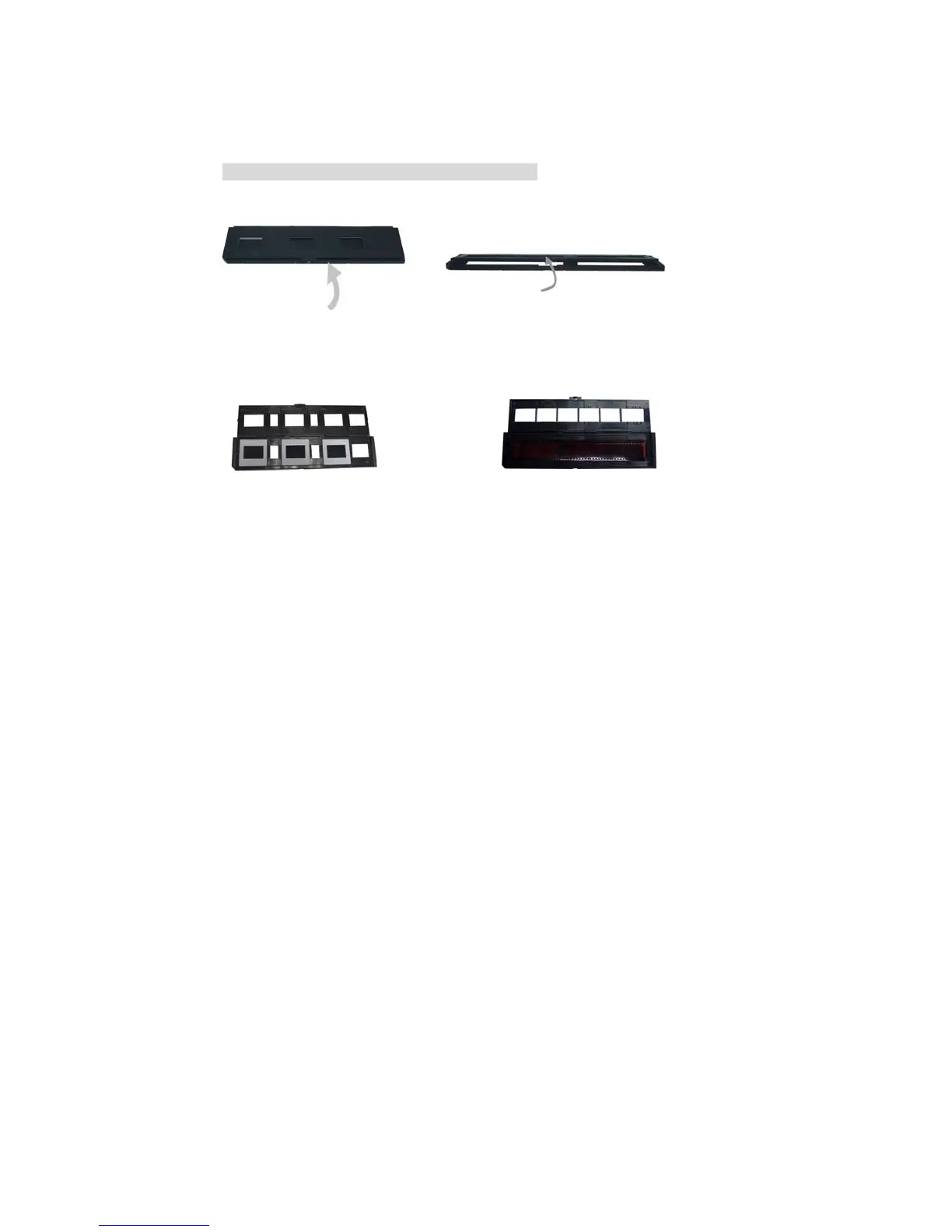
4 Installing slides and negatives into the holder
a. Open the negative/slide holder as illustrated.
b. Put a negative/slide in the negative/slide slots as shown.
Note: The negative/slides should be put in motion side down.


 To Next Page