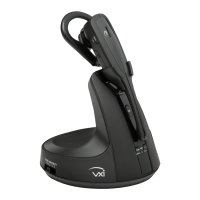
VXi V200 User Guide
PAGE 13
Connect to a Computer
Connect USB
1. Plug the small connector on the end of the USB cable provided into the micro USB port on the side of
the base.
2. Plug the other end into the USB port on your computer.
3. Wait for your operating system to indicate that it has recognized the headset and that it is ready to use.
Configure Computer Audio Settings
1. Press the PC button on the base. The PC indicator LED will be lit red.
2. Go to your computer’s audio settings and make sure that “VXi V200” is selected under both playback
and recording.
3. If necessary, make sure the “VXi V200” is also selected for use in your communications software
settings.
Position Base
To reduce the possibility of noise and interference problems, position the base at least 6 inches away from
your desk phone and at least 12 inches away from your computer.
CONNECT TO YOUR PHONE AND COMPUTER (continued)


 To Next Page