6
Operating instructions
Operation
Afterhavingconnectedyourampliertothemains,turnbothgaincontrolscounterclockwisetothe
“min”position.Thelastproducttobeswitchedonisamplier.The“POWER”and“PROTECT”LEDlights
upnow.Ifitdoesnot,checkiftheamplierisconnectedtothemainscorrectly.
Aftertheturnondelaythespeakersareactivated(PROTECT-LEDisoff).
Afterhavingsetthevolumecontrolsofthepre-ampliertothe“OFF”position,turnthegaincontrolsof
yourampliertomid-position.NowadjustthevolumewiththegaincontrolsCHAandCHB.
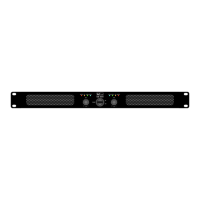
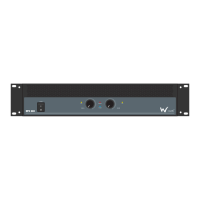
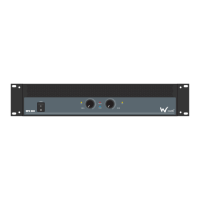
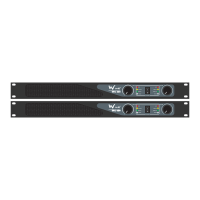
Allimportantoperatingmodesoftheamplierarearrangedonthefrontpanel.
Ifyouwanttoswitchoffthesystem,switch off the amplier rstinordertoavoid
acousticshocksonthespeakers.
Problem Chart
-20dBto30dB -Outputlevel
Clip -Shortcircuitorimpedancetooloworsignaldistorted
Protect -Activeduringstabilisationperiodafterswitchingonorwhenone
oftheprotectivecircuitsisactivated
Problem Cause Solution
Nopower Thepowercableisnotconnected Checkthepowercableandanyextensioncables
Nosound
Thepowercableoftherespectiveproductis
notconnectedcorrectlyornotatall.
Checkthepowercableandiftheplugsareproperly
connectedwiththesockets
Theconnectionsocketortheplugisdirty Cleanthesocketand/ortheplug
Noise Theinputsignalistoostrong Reducetheinputsignalviathegaincontrol
Fandoesnotwork,
LEDsdonotlightup
Thepowercableisnotconnected Connectthepowercable
ProtectLEDlights
uppermanently
DCvoltageoninput
Switchamplieroffandhavetheproductchecked
byaservicetechnician
Amplieroverheatsduetoobstruction Cleanthefangrill
Impedanceofspeakerstoolow Ensureminimum4Ωload
Shortcircuitinspeakerconnection
orinspeakers
Checkspeakersandconnections


 To Next Page
 Loading...