13
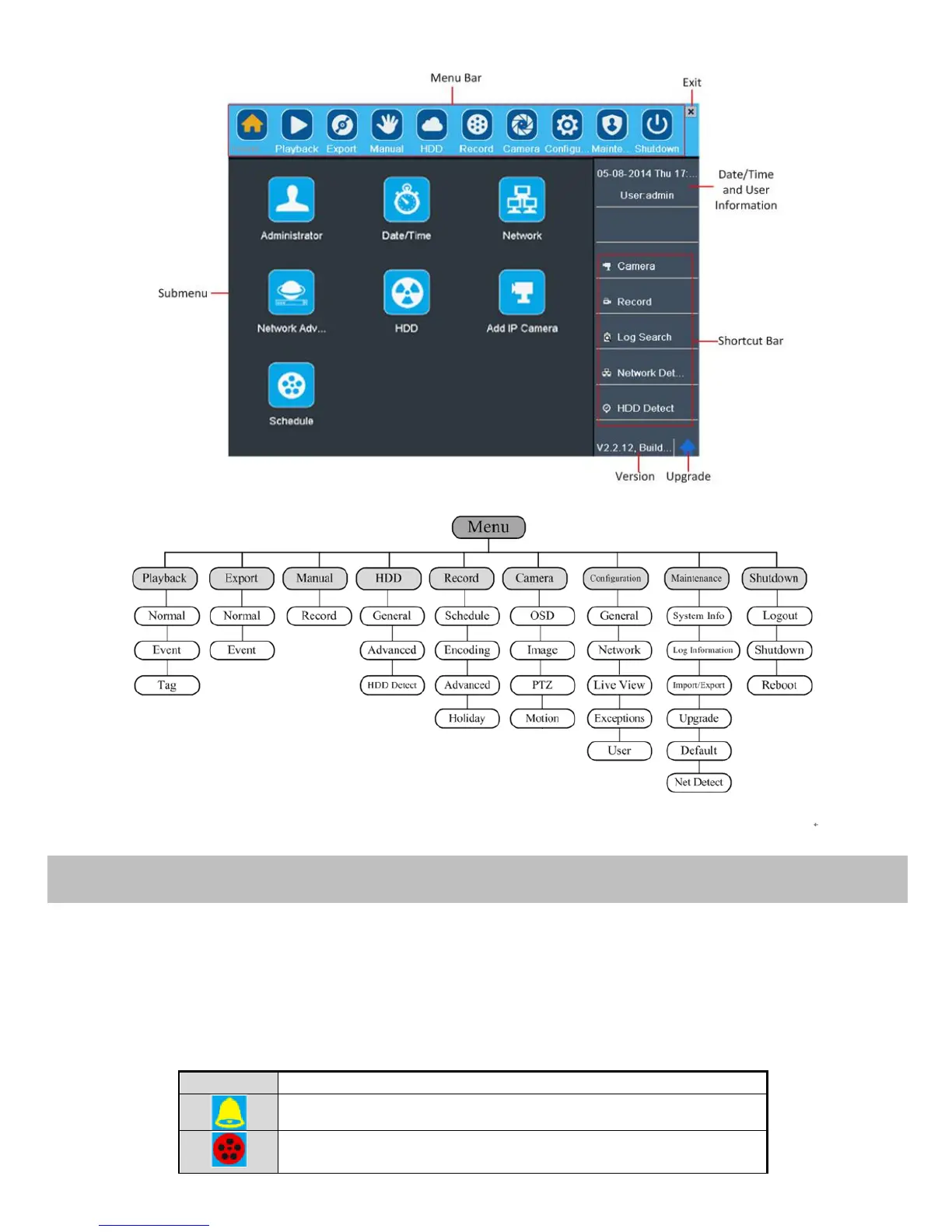
The menu structure is shown as below:
Live view shows you the video image getting from each camera in real time. The DVR will automatically enter Live View
mode when powered on. It is also at the very top of the menu hierarchy, thus hitting the ESC many times (depending on
which menu you’re on) will bring you to the Live View mode.
Live View Icons
In the live view mode, there are icons at the right top of the screen for each channel, showing the status of the record and
alarm in the channel, so that you can know whether the channel is recorded, or whether there are alarms occur as soon as
possible.
Alarm (video loss, tampering, motion detection or sensor alarm)
Record (manual record, schedule record, motion detection or alarm
triggered record)



 To Next Page