EasyManua.ls Logo

Wacker Neuson BPU 2950 series - User Manual

Wacker Neuson BPU 2950 series
58 pages
Print Icon
To Next Page IconTo Next Page
Loading...
www.wackergroup.com
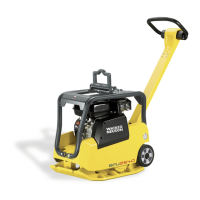
Vibroplate
BPU 2440
BPU 2950
REPAIR MANUAL
0078232 004
0603 en
0078232

Questions and Answers

  • T
    Terry MirandaAug 7, 2025
    Why is my Wacker Neuson BPU 2950 plate not developing full speed?
    • J
      Jennifer MaldonadoAug 7, 2025
      If your Wacker Neuson Power Tool engine runs but the plate does not reach full speed, several factors could be at play. Ensure the engine RPM is correctly set according to the manufacturer's recommendations, and the throttle control is adjusted to 3600 RPM at full throttle. Consider if the soil conditions are too wet, causing the plate to bog down. Also, inspect the drive belt or clutch for wear, and replace if necessary. Check the exciter pulley for slippage and replace the tolerance ring if needed. Finally, verify the exciter gears are correctly timed and the exciter bearings aren't binding. Check the oil level in the exciter and replace the bearings if necessary.
  • A
    Adam WeberAug 12, 2025
    How to fix Wacker Neuson BPU 2950 with engine running but no vibration?
    • X
      xkeyAug 12, 2025
      If your Wacker Neuson Power Tool engine runs but there is no vibration, the issue might stem from a broken or loose belt, or the clutch not engaging. You should replace the belt or adjust its tension. Additionally, inspect the clutch for any damage and repair as needed.
  • W
    wesley83Aug 17, 2025
    What to do if Wacker Neuson BPU 2950 plate travels in reverse only?
    • S
      Stephanie WilsonAug 17, 2025
      If your Wacker Neuson Power Tool plate travels in reverse only, it could be due to air in the control circuit, low oil level in the handle, leaking seals in the handle, or a leaking seal on the exciter piston. Bleed air from the system, fill oil to the level mark, and replace the seals as necessary.
  • S
    Steven OrtegaAug 22, 2025
    Why does my Wacker Neuson Power Tool plate pull to one side?
    • A
      Adam WhiteAug 22, 2025
      If your Wacker Neuson Power Tool plate pulls to one side, the shockmounts may be damaged. You should inspect the shockmounts and replace them if necessary.
  • C
    Charles BurgessAug 27, 2025
    Why are forward and reverse switched on my Wacker Neuson Power Tool?
    • M
      Marie HancockAug 27, 2025
      If the forward and reverse are switched on your Wacker Neuson Power Tool, it could be due to incorrectly timed exciter gears or the sleeve gear being incorrectly installed on the drive shaft. Remove the exciter and adjust the gear timing. Also, remove the exciter and check the position of the sleeve gear on the drive shaft.
  • V
    Victor ColonSep 1, 2025
    What causes directional control to be inoperative in Wacker Neuson Power Tool?
    • F
      Faith GarciaSep 1, 2025
      If the directional control on your Wacker Neuson Power Tool is inoperative, the piston might be binding in the flange, or the sleeve gear might be binding on the drive shaft. Inspect the piston assembly for damage and repair or replace it. Remove the flange cover and operate the piston by hand to check the operation of the sleeve gear. Check the sleeve gear and guide pin.

Summary

Safety Information

Operating Safety

Guidelines for safe operation of the equipment on the job site.

Operator Safety: Internal Combustion Engines

Safety precautions specific to operating machines with internal combustion engines.

Service Safety

Safety measures and precautions to follow during maintenance and repair activities.

Technical Data

Engine Specifications

Detailed specifications for the engine, including make, model, and performance ratings.

Lubrication Guide

Recommended oil grades and quantities for engine, exciter, and control circuit.

General Information

Directional and Speed Control

How to operate the machine's directional and speed control mechanisms.

Starting the Machine

Step-by-step instructions for safely starting the engine and preparing for operation.

Stopping the Machine

Step-by-step instructions for safely stopping the engine and shutting down the machine.

Maintenance

Maintenance Schedule

A schedule detailing required maintenance tasks at specific operating intervals.

Bleeding the Control Circuit

Step-by-step procedure for removing air from the hydraulic control circuit.

Repair Procedures

Checking Exciter Operation

How to check the exciter for proper operation and diagnose potential issues.

Exciter Removal Procedure

Step-by-step instructions for safely removing the exciter unit from the machine.

Exciter Installation Procedure

Step-by-step instructions for correctly installing the exciter unit onto the machine.

Exciter Disassembly

Detailed step-by-step instructions for disassembling the exciter unit.

Exciter Reassembly

Detailed step-by-step instructions for reassembling the exciter unit.

Troubleshooting

Wacker Neuson BPU 2950 series Specifications

General IconGeneral
BrandWacker Neuson
ModelBPU 2950 series
CategoryPower Tool
LanguageEnglish

Related product manuals