EasyManua.ls Logo

Waeco ASC1300G - User Manual

Waeco ASC1300G
300 pages
Go to English
Print Icon
To Next Page IconTo Next Page
Loading...
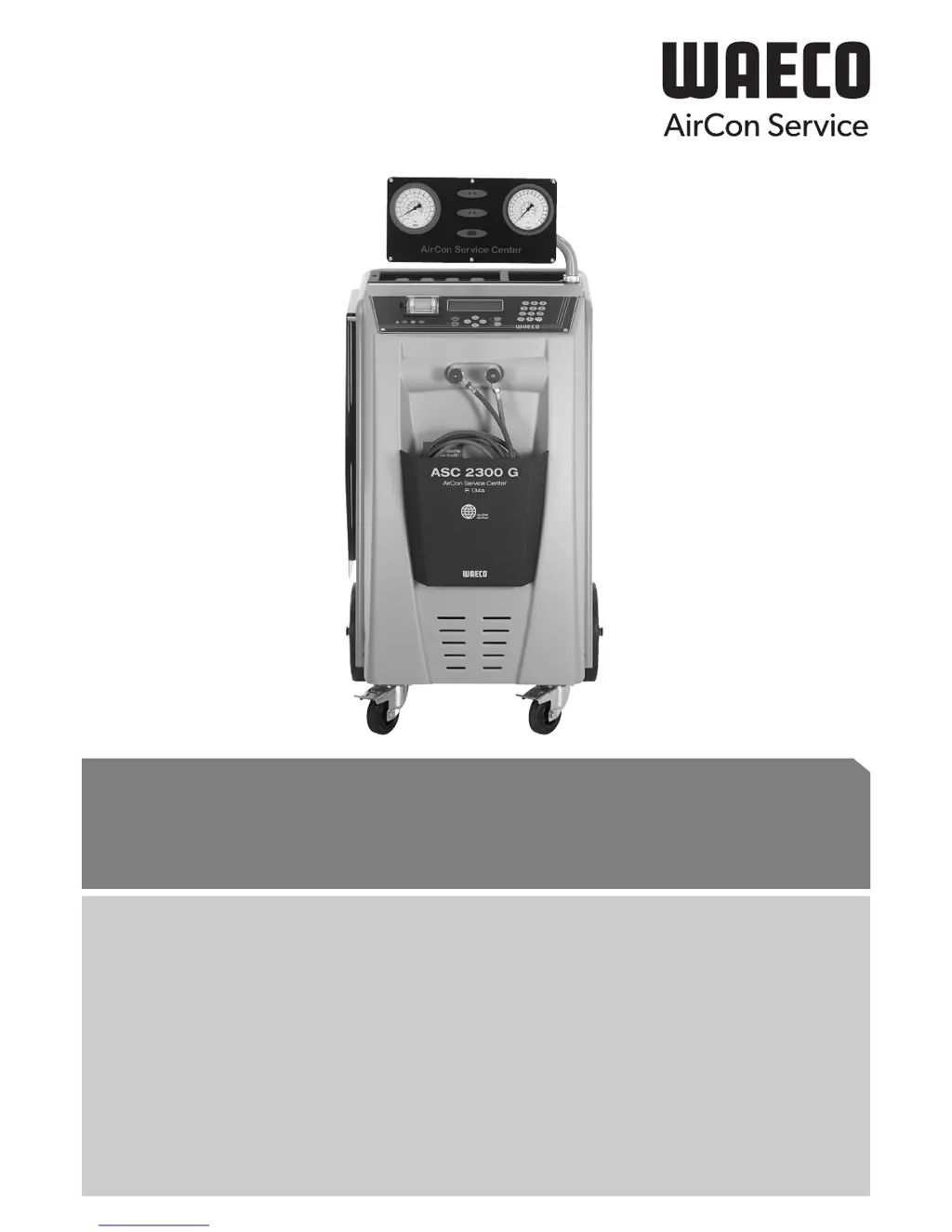
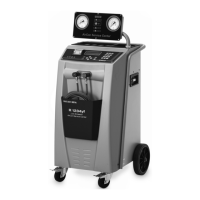
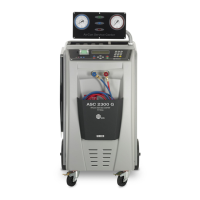
AirConServiceCenter
ASC1300G/ASC2300G/ASC3000G
DE 3 Klimaservicegerät
Bedienungsanleitung
EN 62 Air conditioning service unit
Operating manual
ES 120 Estación de mantenimiento de aire acondicionado
Instrucciones de uso
FR 180 Poste de service climatisation
Notice d'utilisation
RU 240 Станция по обслуживанию кондиционеров
Инструкция по эксплуатации

Table of Contents

Questions and Answers

  • S
    stewartgabriellaSep 23, 2025
    What does “Error 60” mean on my Waeco ASC1300G?
    • S
      Shawn CarterSep 23, 2025
      During the hybrid service (flushing the service hoses with hybrid oil), a vacuum could not be achieved. Check if the service hoses are connected to the hybrid flush container, if the hybrid flush container is fitted the right way round, and the connections for leaks.
  • C
    Cindy BishopAug 25, 2025
    How to fix Waeco Air Conditioner when display shows “Printer not in line! Carry on?”?
    • A
      Andrew MorrisAug 25, 2025
      The message indicates that the printer has a fault. Check if there is paper in the printer, ensure the printer is switched on (the yellow LED must be constantly lit), and verify that the cover is properly closed.
  • D
    darryl04Aug 25, 2025
    Why does my Waeco ASC1300G display “Warning! Pressure inside the A/C system. Recovery start!”?
    • A
      Amy TravisAug 26, 2025
      This message appears at the start of the vacuum process because there is still pressure present in the air conditioning system. No action is required as the process will continue automatically.
  • M
    matthew77Aug 27, 2025
    What does it mean when my Waeco Air Conditioner displays “Warning! Pressure inside the A/C system!”?
    • M
      Mr. Leon LindseyAug 27, 2025
      This message appears during the vacuum process, indicating pressure in the air conditioning system. No action is needed; the process continues automatically.
  • I
    Ian DavisSep 23, 2025
    What to do if Waeco ASC1300G displays “Error 61”?
    • S
      Shannon AdamsSep 23, 2025
      Pressure increased during the hybrid service. Check if the service hoses are connected to the hybrid flush container, if the hybrid flush container is fitted the right way round, and if the service couplings are open.
  • M
    Mark ZamoraSep 13, 2025
    What to do if Waeco Air Conditioner displays “Error 04”?
    • R
      Regina DavisSep 13, 2025
      This message indicates that it is not possible to lower the pressure when flushing takes place. Check the air conditioner and connections for leaks, constrictions, and ice build-up. Check the pressure transducer calibration.
  • J
    John JohnsonSep 12, 2025
    What does it mean if my Waeco Air Conditioner displays “Error 02”?
    • E
      elliottdavidSep 12, 2025
      This message means the pressure increased again with the pressure increase test, and it is not possible to reduce pressure sufficiently. Check the air conditioner and connections for leaks, constrictions, and ice build-up. Check the pressure transducer calibration.
  • S
    Sierra CamachoSep 12, 2025
    What to do if Waeco ASC1300G displays “Error 03”?
    • J
      Jennifer CameronSep 12, 2025
      This message indicates that no data is coming from the refrigerant scale. Check the scale.
  • C
    Courtney BrownSep 4, 2025
    What does it mean when my Waeco ASC1300G Air Conditioner displays “A/C system leakage! Carry on?”?
    • J
      Julia HernandezSep 4, 2025
      This message appears at the end of the vacuum process. The air conditioning system shows a vacuum loss of more than 120 mbar during the checking time. Check the air conditioning system or the connections between it and the AirConServiceCenter for leaks.
  • K
    Katie WilliamsSep 1, 2025
    Why does my Waeco ASC1300G Air Conditioner display “Warning! Not enough vacuum for injection!”?
    • K
      Kevin ColemanSep 2, 2025
      This message appears during the filling phase if the vacuum in the air conditioning system is insufficient to end the process. Check the air conditioning system or the connections between it and the AirConServiceCenter for leaks.

Summary

Safety

General safety instructions

Outlines crucial safety guidelines for operating the AirCon Service Center.

Warnings on the AirCon Service Center

Highlights specific warning symbols and their meanings related to device operation.

Safety devices

Describes built-in safety features like pressure monitors and relief valves.

Overview of the AirCon Service Center

Initial start-up

Setting up and switching on

Step-by-step instructions for the initial physical setup and powering on the device.

Filling up the internal refrigerant container

Step-by-step process for initially filling the device's internal refrigerant tank.

Operation

Short selection

Describes the fully automatic service process using pre-defined sequences.

User codes

Explains how to set up and use personal user codes for access control.

Transferring the consumption of refrigerant onto a USB stick

Instructions for exporting service data and reports to a USB drive.

Free selection

Describes step-by-step servicing procedures, allowing individual process selection.

Service tasks

Calibrating the oil scales (for ASC2300 G;ASC3000 G only)

Instructions for calibrating the scales used for measuring oil and UV additive.

Calibrating the pressure transducer

Procedure for calibrating the pressure sensor for accurate readings.

Troubleshooting

Waeco ASC1300G Specifications

General IconGeneral
BrandWaeco
ModelASC1300G
CategoryAir Conditioner
LanguageEnglish

Related product manuals