Attack
Waldorf 21 Operation Manual
so create interesting effects by setting one parameter to a positive and the other to a ne-
gative amount.
Drive 0 dB...54 dB
Determines the amount of saturation that is added to the signal. If set to 0, no saturation
will be added or, in other words, the signal will remain clean. Lower values will add
some harmonics to the signal, resulting in a warm character. Increasing the value will
bring in more and more distortion, suitable for harder lead sounds and effects.
Sync
Makes the low frequency oscillator (LFO) sync the filter modulation either to the key
press or to the tempo of the host application (assuming that it is capable of sending the
needed timing information to the Attack). When you click on the Sync button, a pop-up
menu will appear to select the different settings.
Off lets the LFO run freely.
Key makes the triangle waveform of the LFO start at the maximum amplitude
whenever a key is pressed.
8 Bars to 1/64 syncs the triangle waveform of the LFO in musical note values.
1/2. Bars to 1/64. syncs the triangle waveform of the LFO to dotted note va-
lues.
1/1t Bars to 1/64t syncs the triangle waveform of the LFO to third note values.
With positive Mod Depth values the LFO starts at maximum amplitude, and in-
versely, with negative values it starts at minimum amplitude.
Mod Speed S&H...1000 Hz
The integrated Low Frequency Oscillator (LFO) creates a Triangle wave to modulate
filter frequency. Mod Speed determines the frequency of the LFO. At low values, it
might take several minutes for the LFO to perform a complete cycle, while higher va-
lues are in the audible range. A setting of S&H creates a random value which will be
held for the length of a tone (independent from the Sync settings).
Mod Depth -100%...100%
Determines the amount of filter frequency modulation by the LFO.
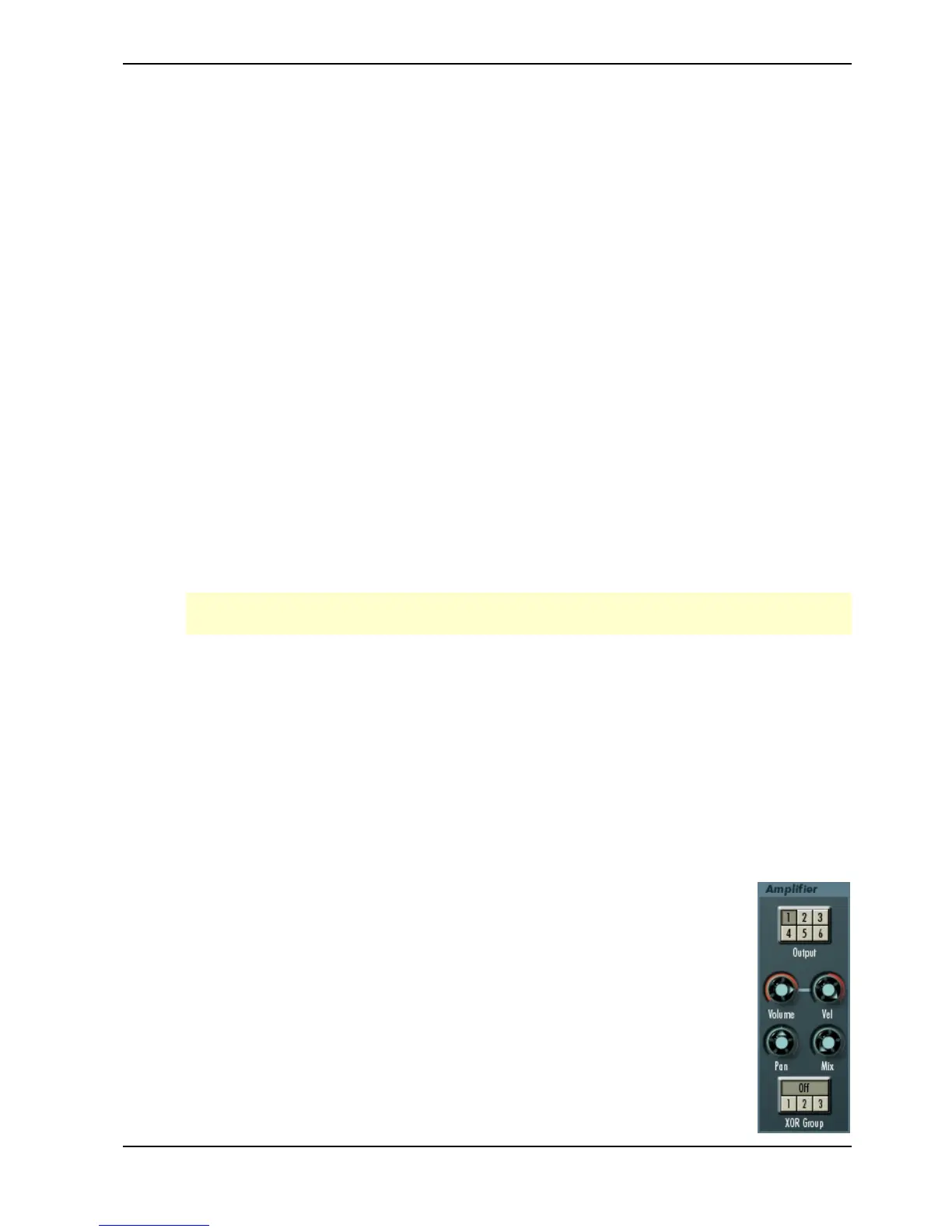
Amplifier Section
This section is found near the end of the Attack’s signal routing, followed
by the Delay FX section. Its purpose is to set the volume of the sound.
It is important to know that Envelope 2 always controls the amplifier
level.
Additionally the Amplifier section offers sound output, panning and effect
send levels.



 To Next Page