Attack
Waldorf 23 Operation Manual
Delay Effect Sections
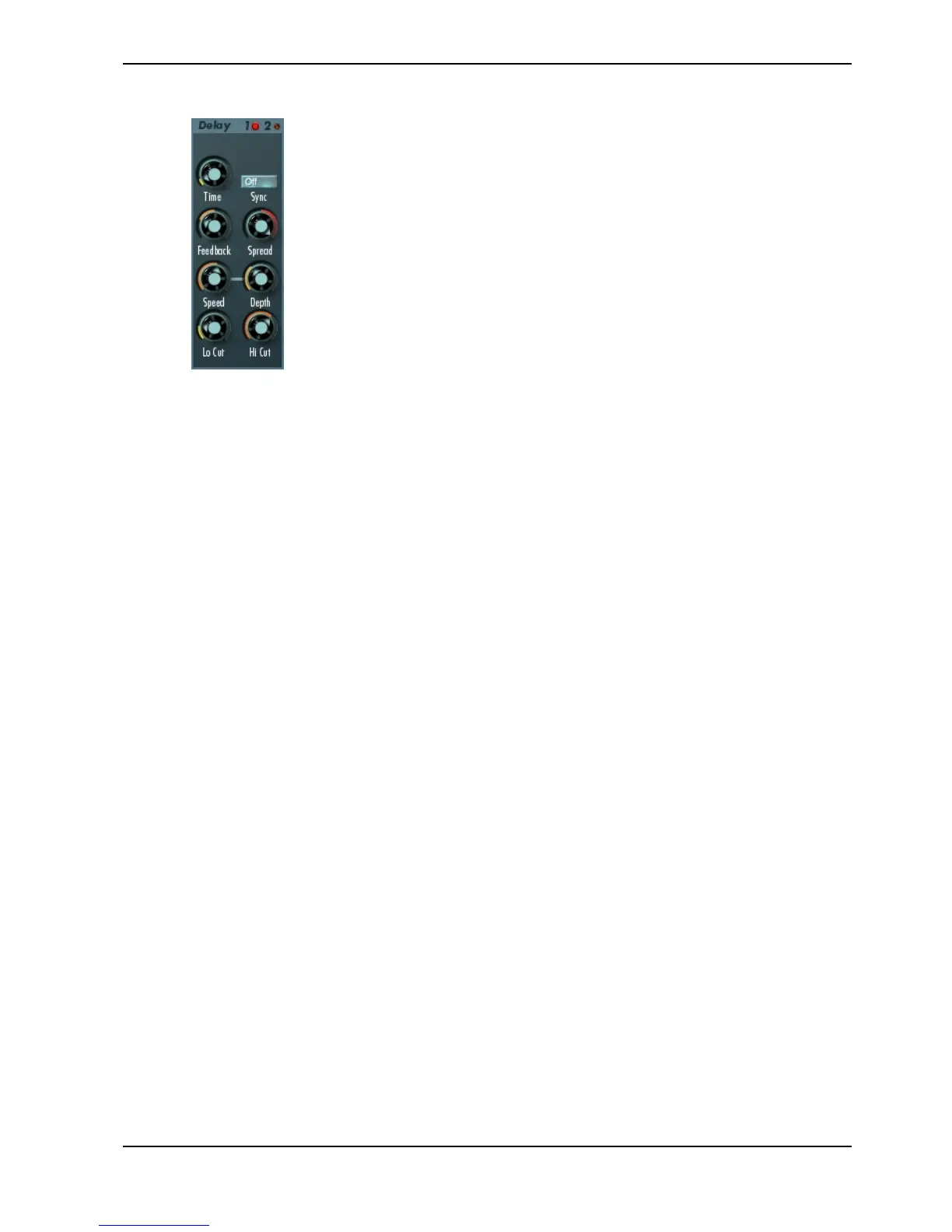
The Waldorf Attack offers two independent Modulation Delay effects.
These effects are tied to outputs 1 and 2. When a sound is routed to 1,
delay 1 is selected automatically, and similarly delay 2 appears at output
2.
A delay creates repeats of the input signal. The delay time can be set
either in milliseconds or in musical note values if Sync is selected (this
assumes that your host application can send tempo information to the
plug-in). The maximum delay time is 2 seconds. Additionally, the delay
can be modulated.
Time 0ms...2000ms
Sets the length of the delay tap in milliseconds or note values depending on the Sync
setting (if your host application supports VST 2.0).
Sync
Syncs the delay time to the tempo of the host application (assuming that it is capable of
sending needed timing information to the Attack). When you click on the (delay-) Sync
button, a pop-up menu will appear to select the different settings.
Off allows no synchronisation. Time can be set in milliseconds.
2 Bars to 1/64 syncs the delay time in musical note values.
1/2. Bars to 1/64. syncs the delay time in dotted note values.
1/1t Bars to 1/64t syncs the the delay time in third note values.
Cubase VST offers an internal synchronisation with version 3.7 (PC) and 4.1 (MAC) or
higher, offering more precision than MIDI clock.
Feedback -100%...100%
Controls the amount of signal that is routed back into the delay line. Lower feedback
values will by definition produce fewer echoes than higher values. Very short delay
time settings can be colored by feedback settings.
Spread 50:100%...100:50%
Spreads the left and right delay output to half of the delay time maximum. Settings from
50:100% or 100:50% create a typical ping pong delay.
Speed 0.01 Hz...10 Hz
The delay effect can be modulated in its delay time with the integrated low frequency
oscillator (LFO). Speed determines the frequency of the LFO.
Depth 0%...100%
Controls the modulation depth when delay time is changed by means of the LFO. The
depth ranges from no delay to the amount set by the Time parameter.



 To Next Page