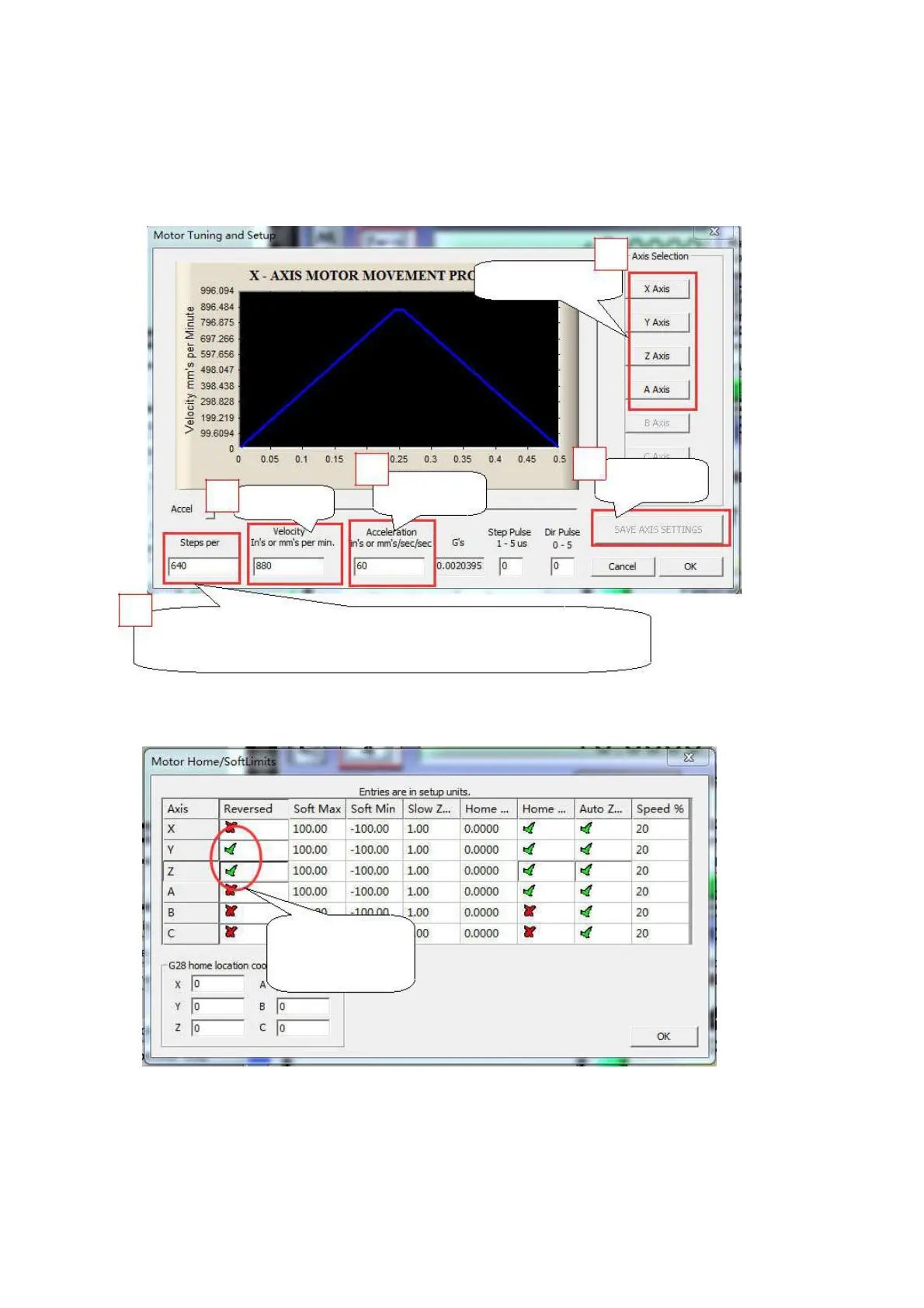
2.2 Motor tuning setup as shown below: (Config => Motor Tuning)
1
Setup each axis
2
Mach3 steps per unit:
Mach3 steps per unit = Mach3 steps per rev x Motor revs per unit
2.3 The Mach3 Menu => Config => Homing/Limits dialog:
Axis direction, depends on the “Reversed”
Axis direction:
Depends on ”√ ”
or ”X”
2.4
Setup the input signal
:
There are 4 general-purpose input channels. The channels number is from I1 to I4.
Example of input signal settings: I1 is connected to emergency stop switch, I2 is connected to 4 axis
limit switches, I3 is connected to 4 axis home switches, I4 is connected to auto tool zero, set as shown


 To Next Page