17
(888) 253-0777
IMPORTANT: The LEFT and RIGHT Struts and Casters must match the
LEFT and RIGHT Legs. If they are not installed correctly the wheelchair
will be extremely wobbly. We refer to L and R as if your pet is in the
wheelchair.
Assembling Fully Supportive Wheelchair
Video instructions also available: hpets.net/sfav
Step 1: Length: Le and Right Extenders (A & B)
Take out existing side extenders on rear wheelchair and replace with
the front wheel extenders. Socket Shoulder Screws (4) will be on the
outside of wheelchair and used to attach leg rings.
Step 2: Height: Struts and Wheels (C1 or C2)
Insert the struts into the legs, making sure the le and right are on the
correct side.
Step 3: Leg Rings (D)
Install the leg rings (p.10). The straps go over the frame; insert the
black plastic clip on the socket shoulder screw and push upward.
You will hear a click when it is locked into place. Leg rings should
look like two Cs, not two Vs (p.10).
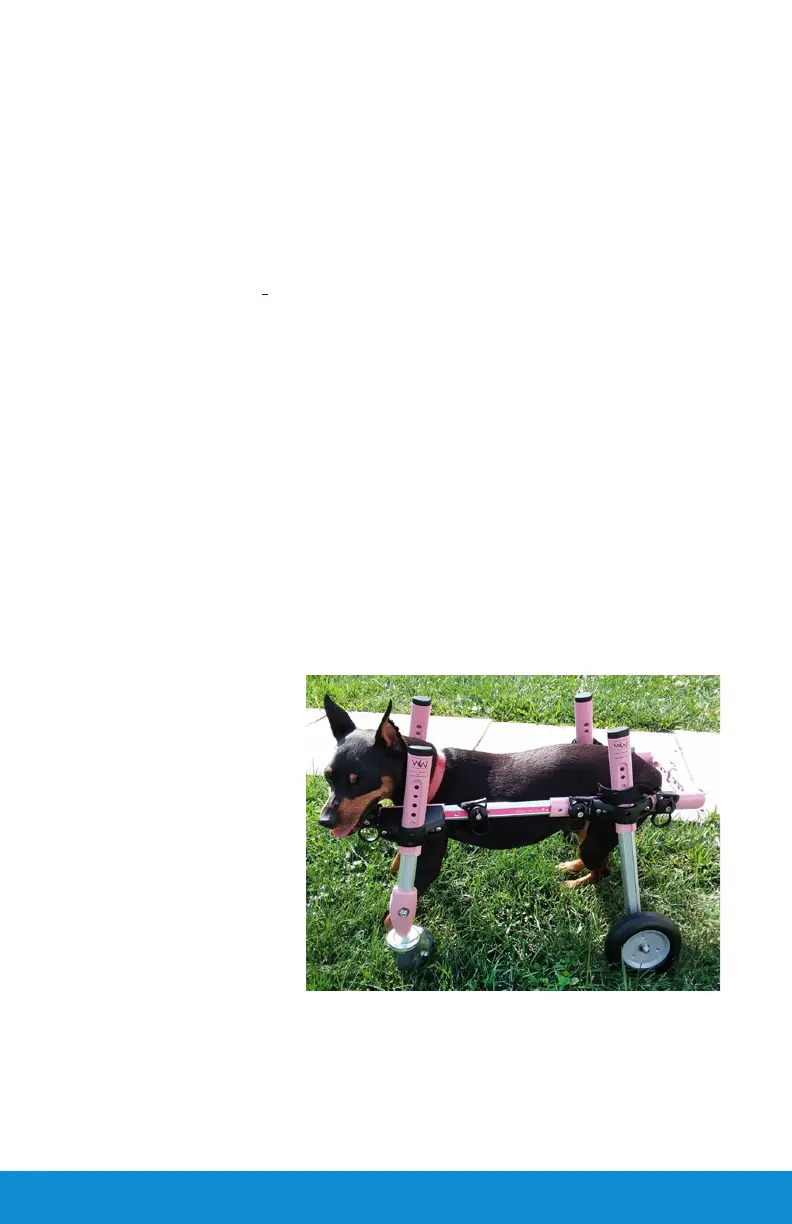
Your pet's legs will
go inside each ring to
support his/her body
in the front. The front
leg rings may be lower
than the rear Leg Rings
to accommodate the
dog's full chest. To
remove Leg Rings, put
your thumb in the circle
and pull down.
Make sure that all Rs and Ls are on the proper sides.
Step 4: Width:
Adjust width according to your pet's chest (usually the widest area).


 To Next Page