WBCM-UG-002-EN
6/11
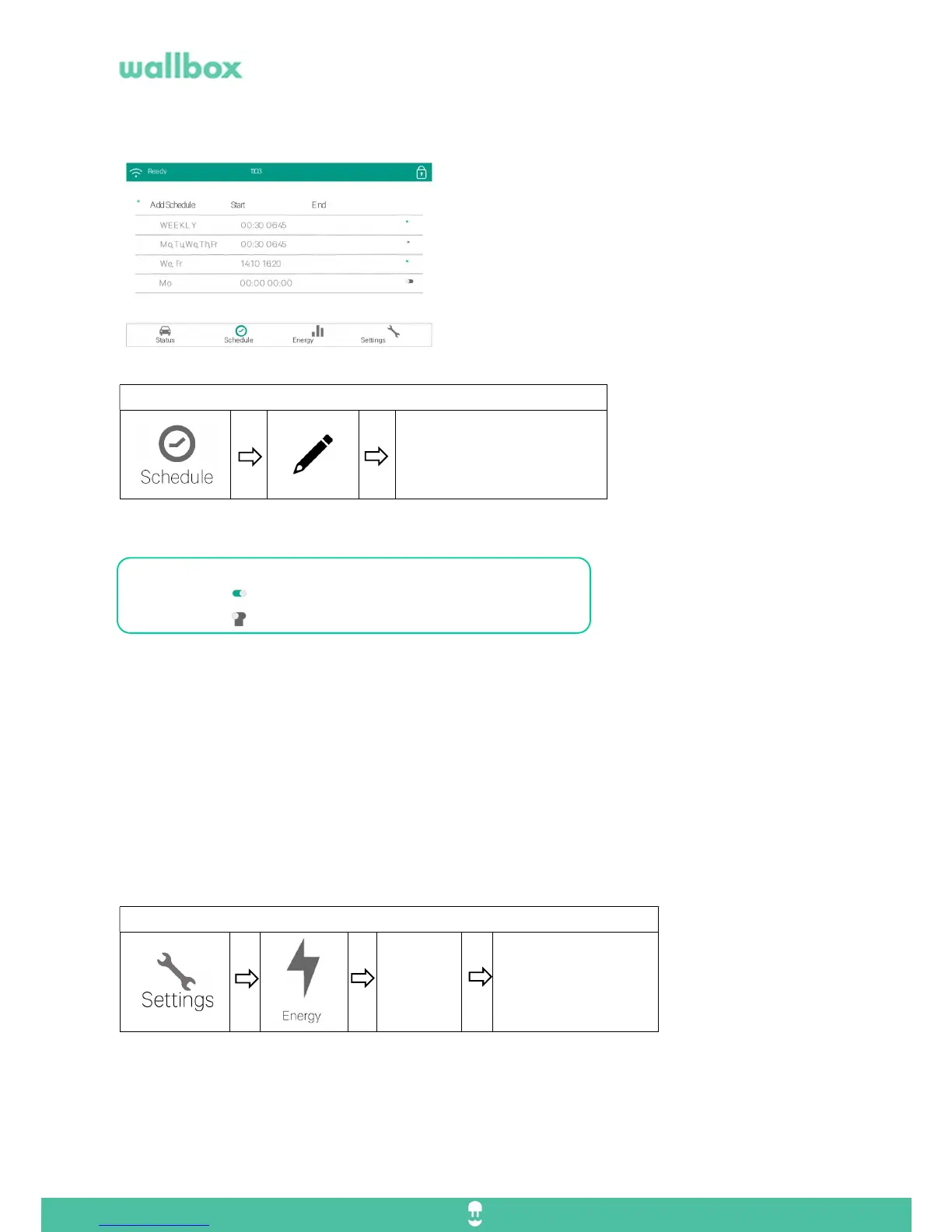
5. Create a schedule
It is very common to schedule your charges for reasons
ranging from available power, efficiency, costs or lifestyle
programming.
The Wallbox Commander uses a simple and intuitive
interface that lets you define different hour intervals that
can repeat daily or weekly.
Now you can select the days of the week and the time that will be charging.
You can easily check or uncheck by pressing or sliding the button.
Activated schedule
Deactivated schedule
If you connect the vehicle 12h before the schedule, the vehicle will start charging automatically
6. Configure Energy cost
You can monitor your daily/weekly/monthly charging sessions or customize the periods to be displayed.
The information is presented in:
Charging period leading Stats
Escalade graph
List of period sessions
You can configure the cost of the electricity, it is set at 0,2 €/kW by default.
Go to:
Select the days.
Select the start and end time.



 To Next Page