WBCM-UG-002-EN
7/11
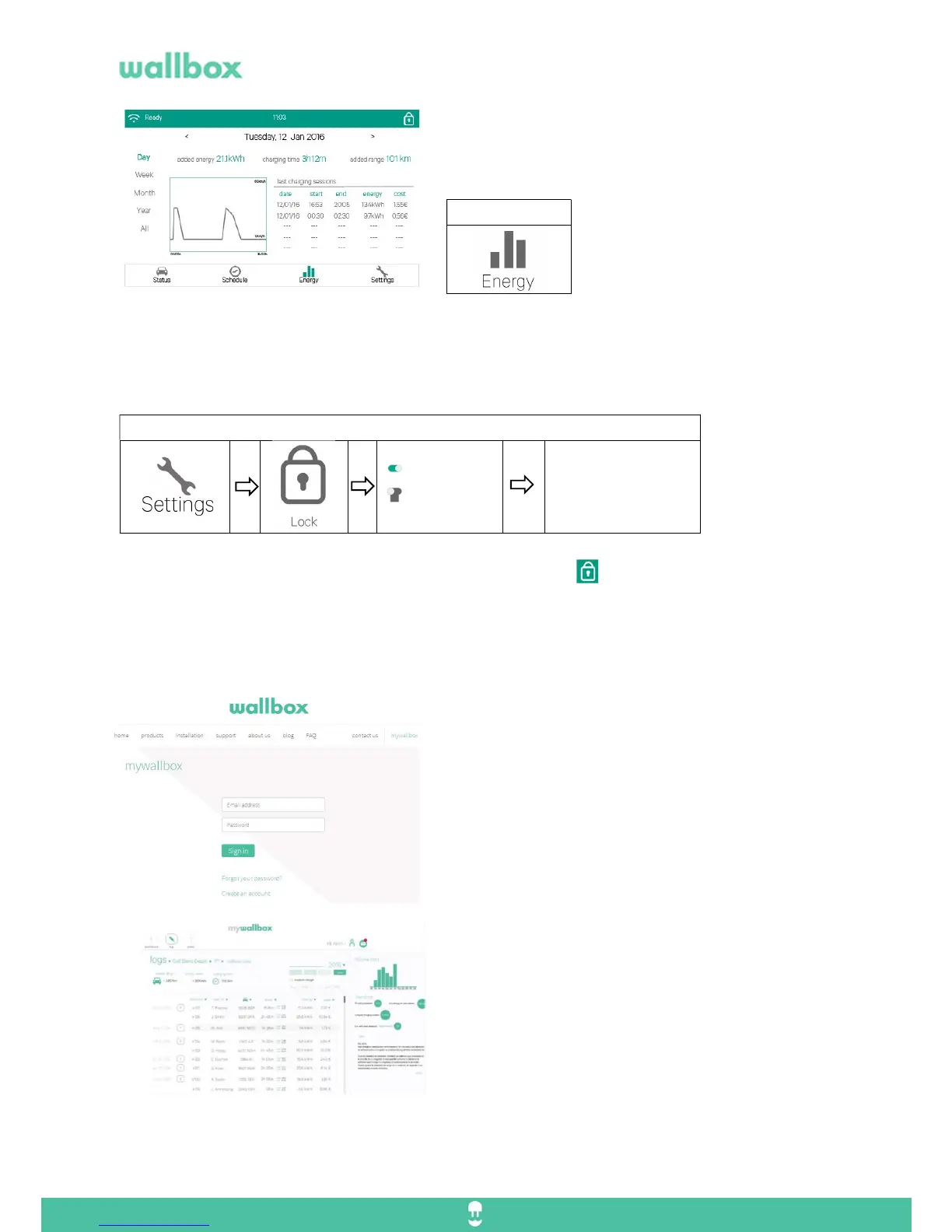
You will be able to see the statistics and graphs of your
charging sessions.
7. Lock / Unlock
When extra protection is needed you can secure your Wallbox Commander from non-authorized use. It
is as simple as configuring a password. Once you have set up this numeric PIN, simply enter your
passcode to unlock your device in the screen dialog.
If you want to lock your charger immediately, tap on the lock icon on the top left side of the screen.
If you enter three times a wrong PIN number, the charger will be blocked and will ask for a PUK code.
Please contact Wallbox or your distributor to get this code.
8. Synchronize data with myWallbox.
To register on myWallbox, access to
wallbox.com/mywallbox/ and select create an account.
1. Fill the user data, business data and the serial
number of the Wallbox charger.
2. You will receive and email within 48 hours with the
confirmation of your new account.
3. Once registered you will have access to the
myWallbox web and Wallbox app. You will see the following
information:
- Real-time monitoring and Reporting
Consumption
Charging time
Charging cost
Charging usage
- Charging profiles
- Charging report (day/week/month/year)
- Charging status (available, charging, online, online,
error…)
- Encrypted data communication
Go to:



 To Next Page