11
EN
x2
x2
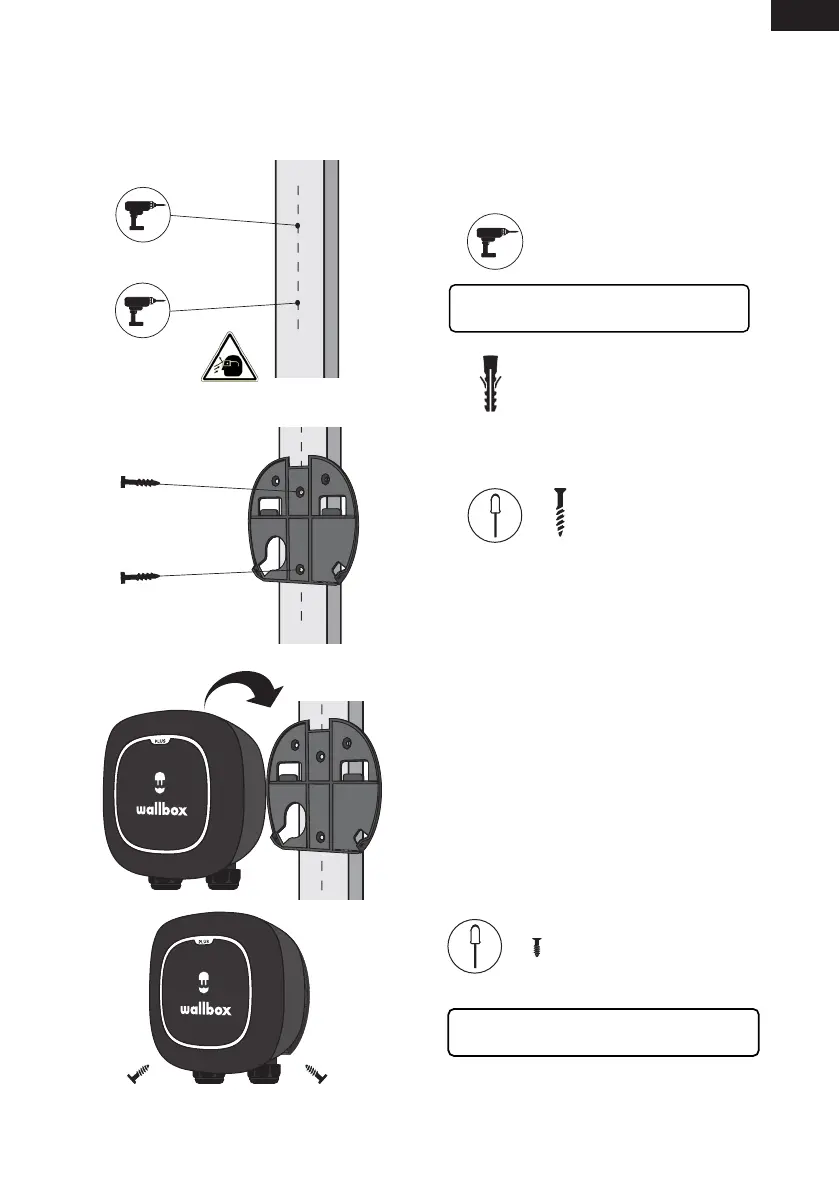
1. Carefully remove your charger from the
packaging box and hang your charger from the
top of the wallplate.
ø6 x 45mm
x2
Mounting
ø3.5 x 9.5 mm
INSTALLATION
NEMA Plug-in Installation
4. Firmly mount the wallplate using the provided
wall screws. Do not over-tighten the screws.
3. Drill two holes with an appropriate sized bit.
Place the wallplate in alignment with the holes
2. Replace the two wallplate screws to secure
your charger to the wallplate.
Do not over-tighten.
Proceed to the instructions for installing the
holster and operating your charger, pages 16-17
If you are mounting your charger on a solid wall,
use the wall anchors provided with your charger



 To Next Page