Need help?
Do you have a question about the Wallgate WDC100 and is the answer not in the manual?
Information about hazards that can cause injury or death.
Draws attention to important and useful information.
Steps in procedures are numbered, starting from 1.
Used to give information that is not sequential.
Menu items, submenu items and settings, where available, are given in bold.
Lists items required before beginning installation.
Advice on attaching the unit and ensuring suitable environmental conditions.
Steps for physically mounting the control unit to the wall.
Guidance on connecting various cables to the control unit's sockets.
Instructions for making safe electrical connections to the unit.
Steps for configuring and testing the unit after installation.
Key technical details including power supply, IP rating, weight, and dimensions.
How to switch the unit on/off and operate basin, shower, and WC.
Information on service packages, spare parts, and repair procedures.
Manages system tests, exclusivity, water lockouts, and mode settings.
Setting the current date and time for unit functions.
Configuring auxiliary inputs for remote operations.
Restores the unit to its original factory configuration.
Adjusts lockout settings for usage limits.
 General
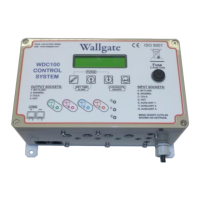
| Brand | Wallgate |
|---|---|
| Model | WDC100 |
| Category | Controller |
| Language | English |

 To Next Page