WARNING! The controller unit must be earthed using the earth lead in the
power cable.
5.3. Attach the Controller Unit
To attach the control unit to the wall, do the following:
1. Mark the attachment points for the control unit on the wall. Make sure the cables
from the solenoid valves and piezo touch buttons are of sufficient length to reach
the control unit. Refer to Figure 3 for the location of the mounting feet.
2. Drill four mounting holes using a suitable drill bit.
3. Use suitable wall plugs if necessary.
4. Attach the unit to the wall using four round head screws.
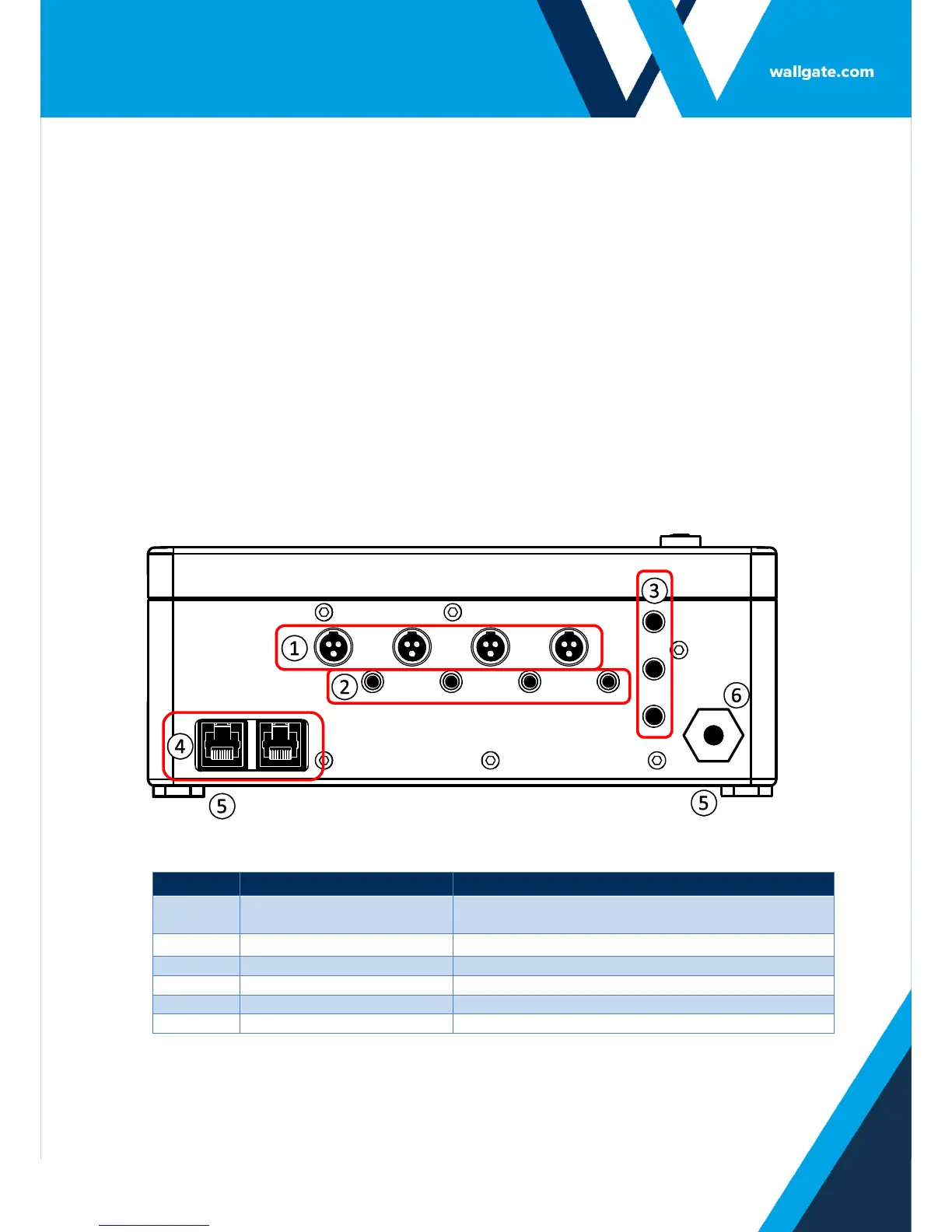
NOTE: When mounting the unit, make sure the cable sockets at the bottom of
the unit point downwards.
Figure 1. WDC100 Lower Panel


 To Next Page