10
giving you the possibility to enter another serial number. To change the value,
press
4
and enter the data using the keyboard.
Insert the SERIAL No and press
4
, and position the probe on the test piece and
press
4
to begin testing.
After pressing
4
the test will start and a graphic bar will show the progression of
the test (Duration: 15 seconds).
After testing, the display shows the numeric value of the quality of the passive
layer of stainless steel between a maximum value (GOOD) and a “not passive”
(BAD).
Press 4 to return to SERIAL No to maintain the current session and the Project
No – or press the MENU button to end the session and return to the main menu.
NOTE: The tester has 50 memory blocks; once all the available cells are used,
to perform a new QC test, it will be necessary to clear the memory by following
the steps (see section 8.3.2 – Deleting Tests – User ID).
SURFOX Stainless steel passivation tester
7. How to use the probe to verify the
passivation of stainless steel
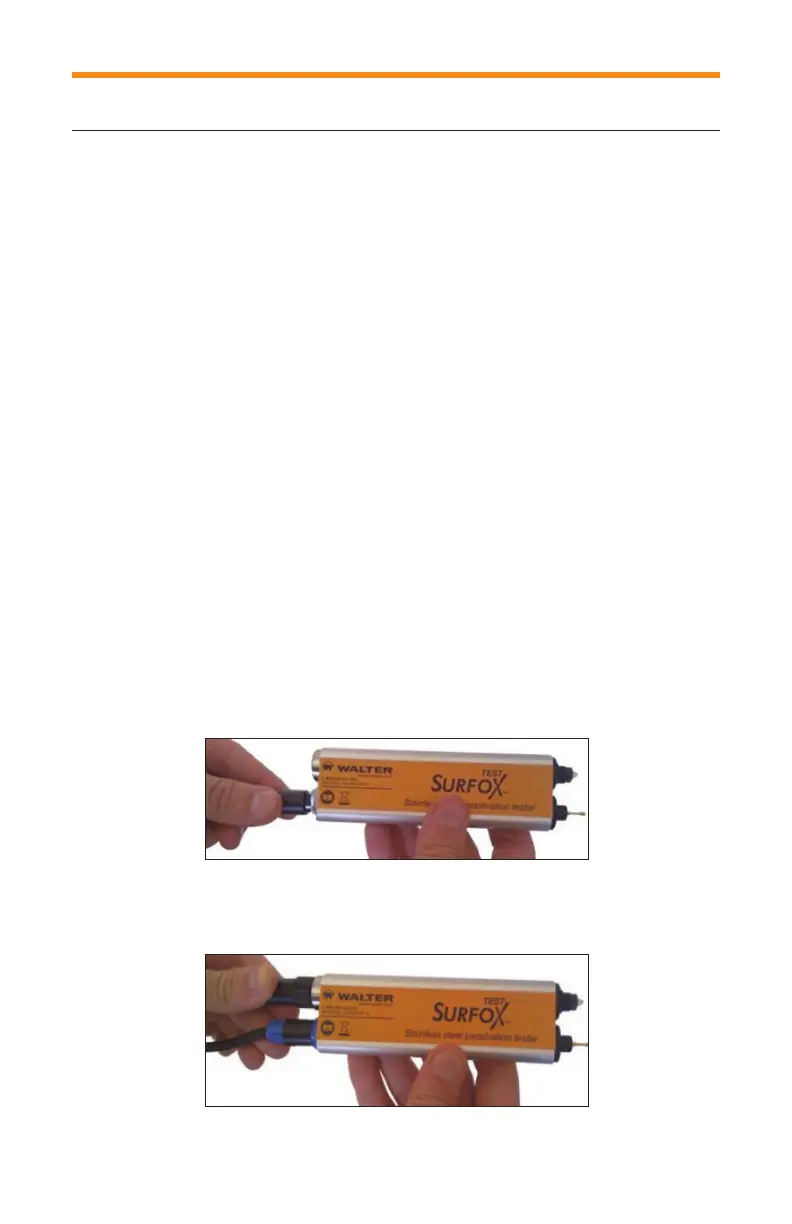
1. Connect the probe to the external unit using the 4 pin cable supplied (Fig. 4).
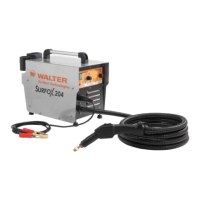
2. Unscrew the tip protector and place it on the refilling cartridge compartment
cover (Fig. 5).
Fig. 4
Fig. 5


 To Next Page