6
SURFOX Stainless steel passivation tester
3. Battery installation
1. Unscrew the cover of the battery box compartment.
2. Insert/replace the batteries (4x AA 1,5 V).
3. Close the cover of the battery compartment.
NOTE: Batteries are included with the tester.
4. Refill replacement
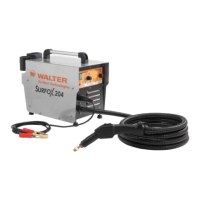
1. Unscrew the cap (7) of the cartridge compartment.
2. Remove and replace the cartridge by a new one.
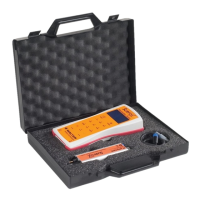
3. Screw the cap (7) back on the compartment. (Fig. 2)
Attention: Ensure the cap is screwed on properly to avoid the evaporation of
the electrolytic solution.
WARNING: Wear gloves during the operation to avoid
direct contact between the electrolyte solution and
the skin.
Fig. 2


 To Next Page