Owner’s manual 7
SURFOX Stainless steel passivation tester
5. Tip replacement
Replace the tip when worn or dirty by following the instructions below.
1. Remove the cartridge as described in section 4.
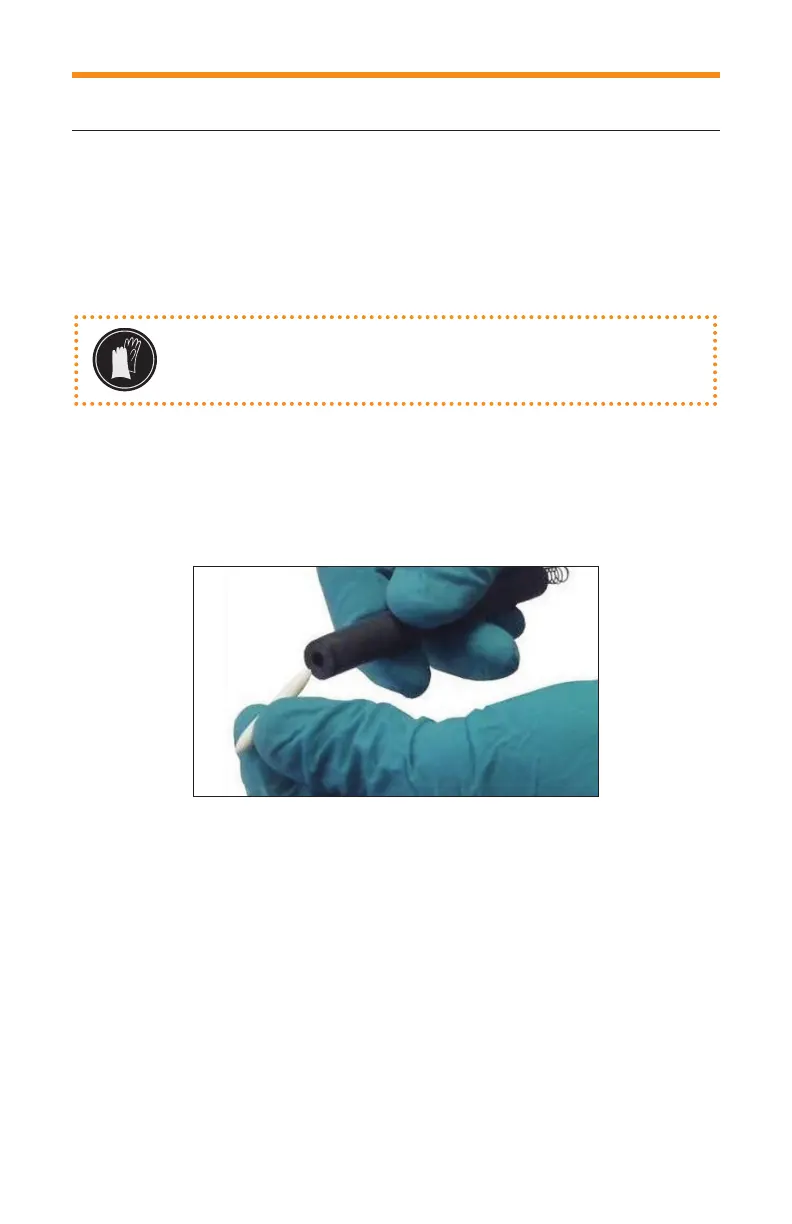
2. Remove the white tip as shown in the image (Fig. 3).
3. Insert the new tip into the cartridge.
4. Insert the cartridge in its compartment.
5. Screw back onto the compartment (7) (Fig. 2).
WARNING: Wear gloves during the operation to avoid
direct contact between the electrolyte solution and
the skin.
Fig. 3
6. SURFOX passivation tester functions
6.1 Switch
Turn on the external unit of the passivation tester by pressing and holding down
the POWER button for two seconds. The tester will light up and the main menu
will appear.
Turn the unit off pressing and holding down the POWER button for two seconds.
NOTE: It is possible to return to the main menu by pressing MENU button on
the external unit.


 To Next Page