46
6204
27
28
6204
29
6204
30
6204
CONFIG 1
04.01.00.00
PAUSE PERMITTED
RAPID ADVANCE
NEW PROG. SELECT
SHOW TIME
SHOW TEMP
CONFIG 1
04.01.00.00
PAUSE PERMITTED
YES
CONFIG 1
04.34.00.00
MAX FILLTIME, SEC
0600
SAVE TO MEMORY
YES
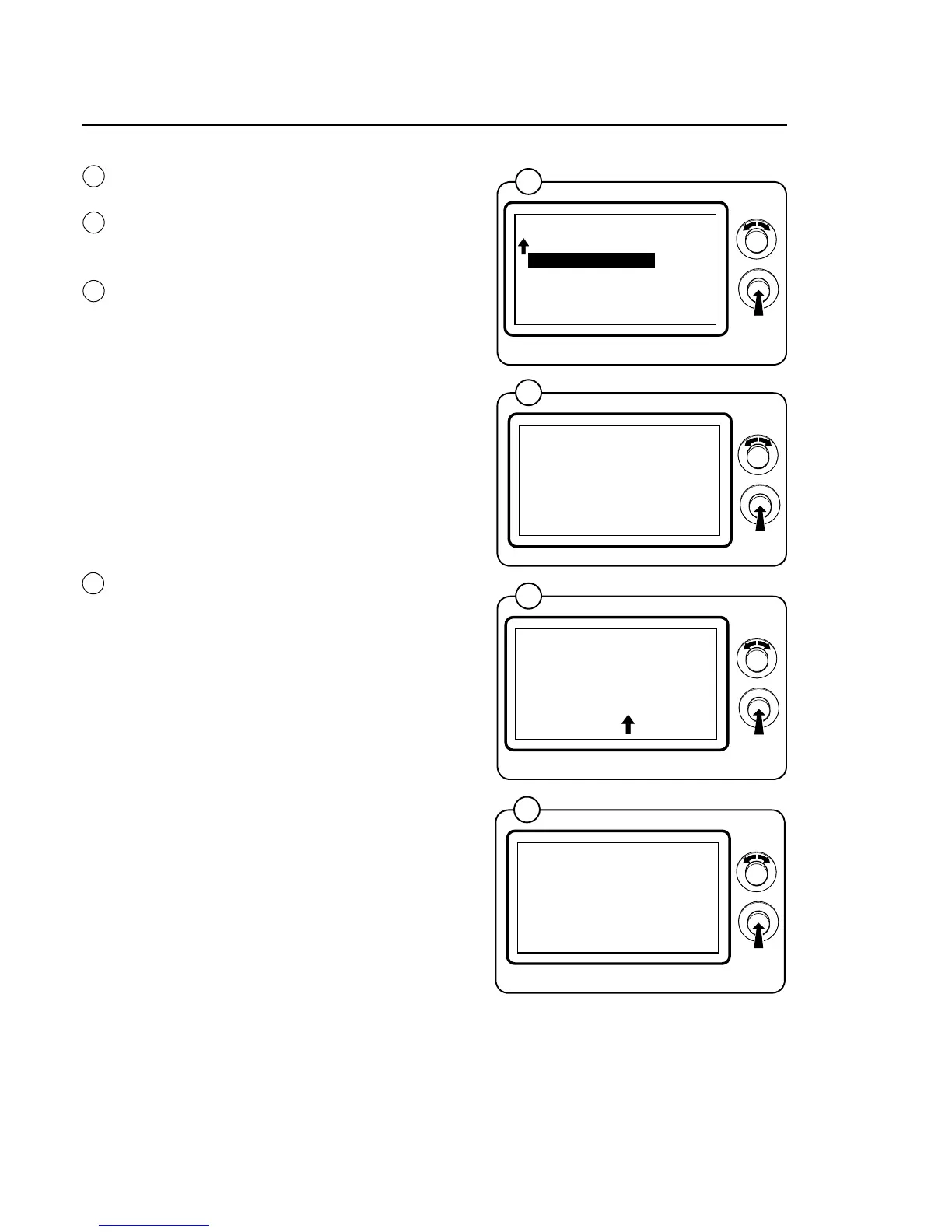
Program unit
Select the desired function/parameter and press
the knob.
To engage and disengage functions, turn the
knobtoselectYESorNOandthenpressthe
knob.
To adjust the value, set the value and press the
knob. The arrow in each menu shows the co-
lumn to be adjusted.
• Turntheknobclockwisetosetthedesired
numberbetween0and9.
• Turntheknobanticlockwisetomovetothe
next column. Turn the knob clockwise and set
the value, etc.
• Onceallthecolumnshavebeenset,press
the knob to confirm and go back to the config
menu 1.
When all the relevant values have been adjusted,
select EXIT and press the knob.
Conrmthechanges(writetomemoryYES/NO)
and return to the main menu.
Note!
All changes will be executed only after exiting
the CONFIG 1 menu.
27
28
29
30







 To Next Page