62
I/O modules
6204
1
6204
2
6204
3
6204
Function options via the service program
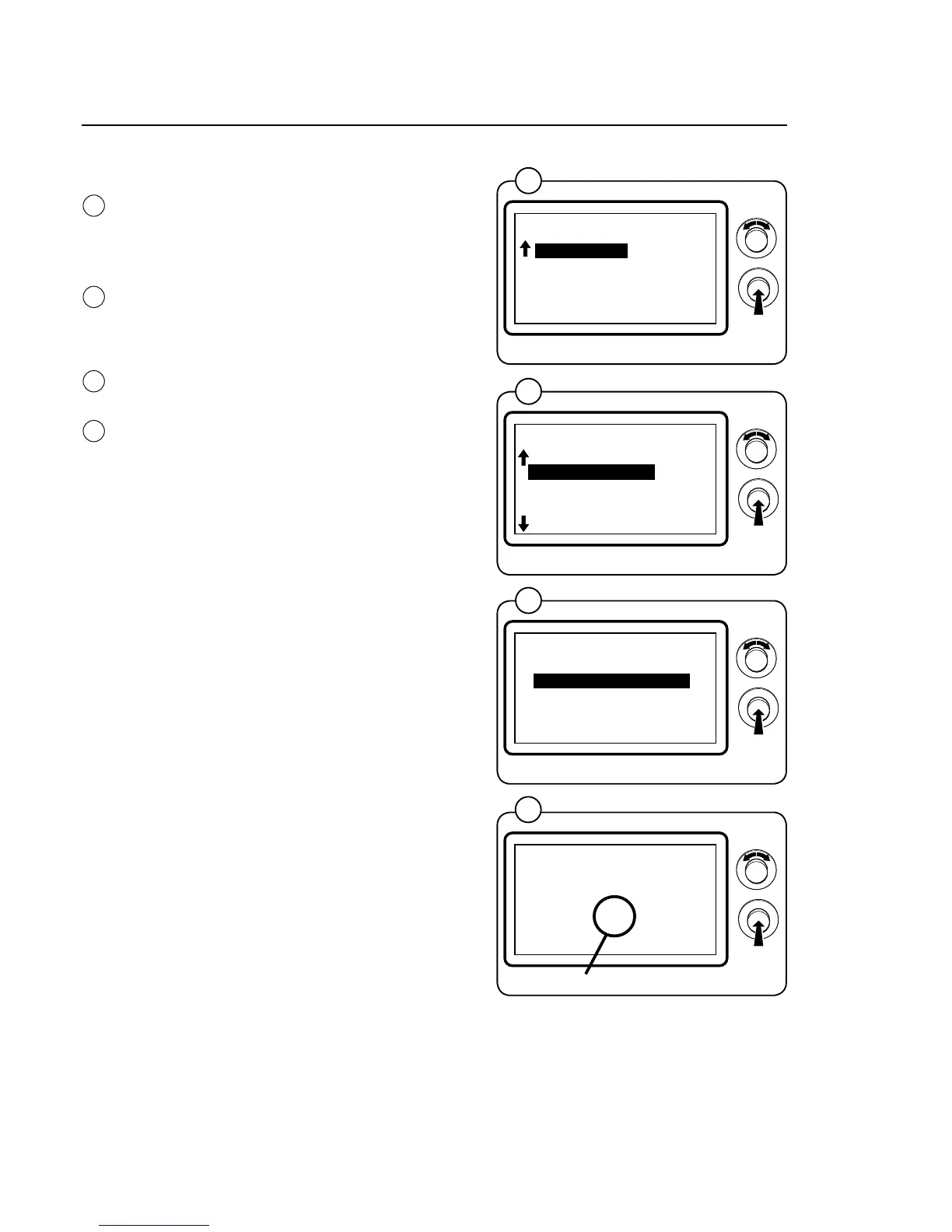
Engage service mode, highlight the SERVICE
line in the main menu and press the knob.
The display will now show the different subme-
nus in the service program.
Highlight the ARTICLE NUMBER line and press
theknob.Youcannowchoosetoviewthear-
ticle numbers of program devices, I/O modules,
motor control or DLCUs installed in the machine.
Highlight the PROGRAM DEVICE line and press
the knob.
Read the program article number under PARA-
METER SOFTWARE. The letters at the end of
the article number indicate the function options
of the I/O modules in the current program; for
more information, refer to the General and Fun-
ction Options sections in the documentation for
each I/O module.
1
2
3
4
Function options I/O-1 and I/O-2
BASE SOFTWARE:
432669701
3.50
PARAMETER SOFTWARE:
432660015 AB
0.0
BACK = PRESS KNOB
MAIN MENU
01.00.00.00
SERVICE
PARAMETER PROGR.
STATISTICS
CONFIG 1
CONFIG 2
ADJUST DISPLAY
*SERVICE*
01.03.00.00
SHOW INPUTS
ARTICLE NUMBER
SHOW DLCU COM.
RESET DLCU
SHOW MCU COM.
RESET MCU
SHOW PART NUMBER
01.03.01.00
PROGRAM UNIT
I/O
MCU
DOOR CONTROL UNIT
EXIT
4







 To Next Page