33
Program unit
6580
1
Alt. 1
6578
6856
Alt. 2
1
Only for WB4130H, WB4180H
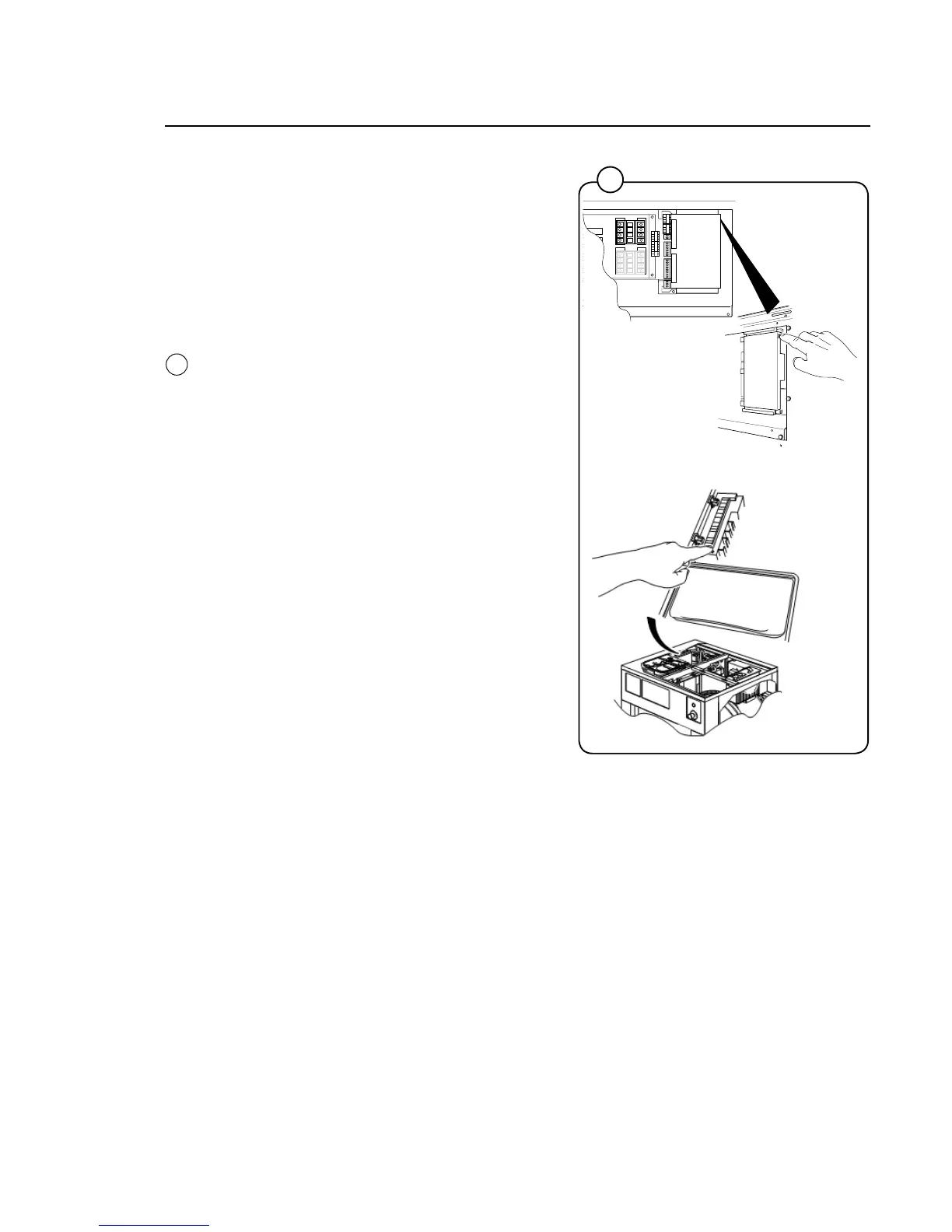
Service mode is activated by using one of the
following alternative:
Alt. 1 Service switch on the I/O board at the
rear of the machine to the right of the
electrical connection.
Alt. 2 Service switch on CPU card under left
hand side of the top cover.
Press the service button about 2 sec.





 To Next Page