65
I/O modules
8
9
10
11
6572
6573
6574
6575
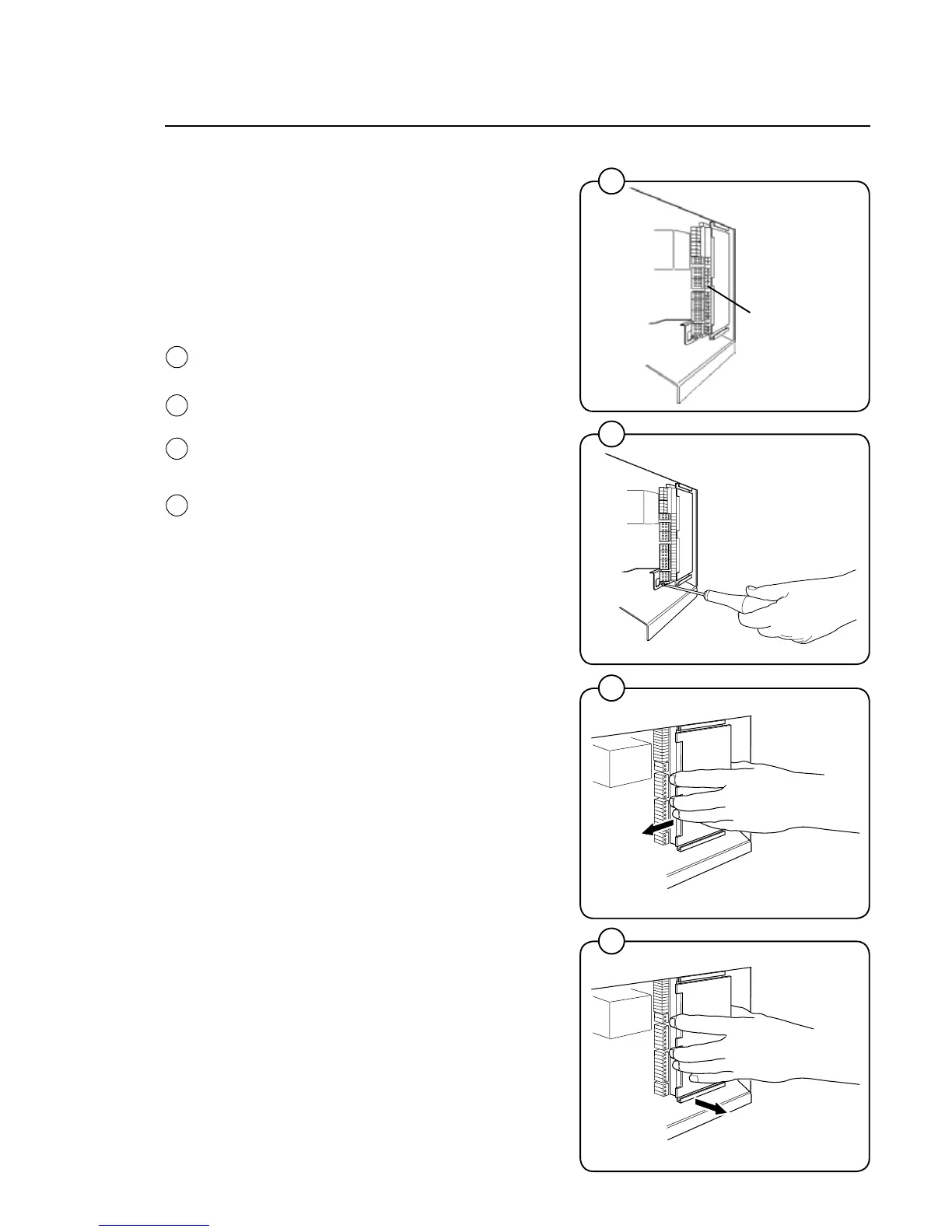
Replacement of I/O module
I/O modules 1 and 2 are installed in the same
way, but are located in different parts of the
machine. The following illustration only shows
how to replace I/O module 2, but the same pro-
cedure also applies to I/O module 1.
I/O module 2 is located on the rear PCB and ac-
cessible once the protective plate is removed.
• Removetheelectricalconnectionsonthe
module.
• Usingascrewdriver,undothelockscrew
holding the module in position.
• Rotatethemoduletotheleft.
• Liftoutthemodule
• Fitthenewmodulebyreversingtheremoval
procedure.
Terminal block
8
9
10
11





 To Next Page