43
6204
18
19
6204
6204
20
21
6204
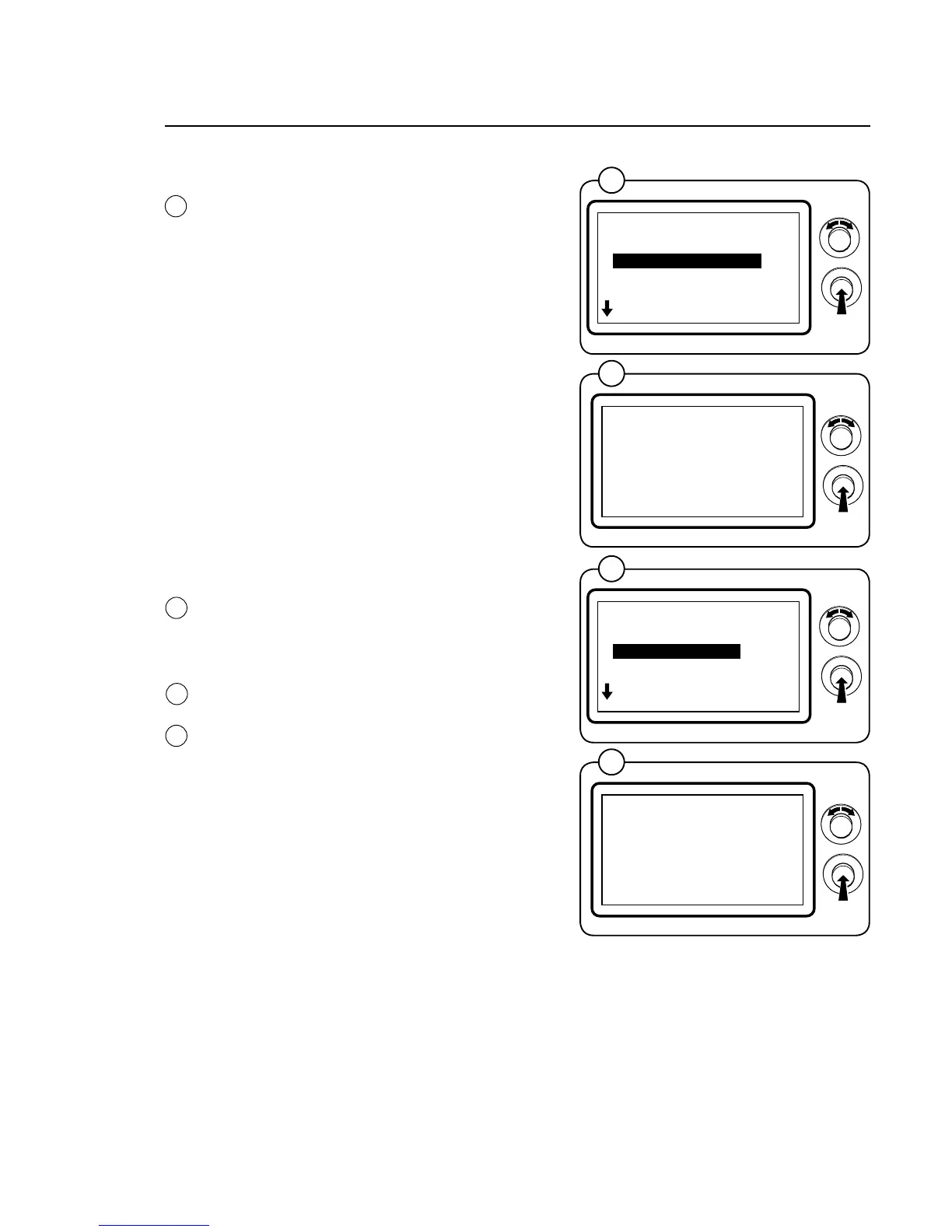
*SERVICE*
01.10.00.00
SHOW COM.PORTAR
WEIGHT CALIBRATION
MEASURE WEIGHT
MEASURE UNBALANCE
DISPLAY TEST
EXIT
*WEIGHT CALIBRATION*
YES
18
19
*SERVICE*
01.11.00.00
WEIGHT CALIBRATION
MEASURE WEIGHT
MEASURE UNBALANCE
DISPLAY TEST
EXIT
*START WEIGHING*
YES
20
21
Program unit
WEIGHTCALIBRATION
SelecttheWEIGHTCALIBRATIONrowand
press the knob.
• Operatethemachinewithanemptydrum.
• Afterweightcalibration,theweightdeviation
will be shown in a hexadecimal format on the
bottom line of the display.
• Thedrumwillgofasterandsloweranum-
ber of times during weight calibration. This
is normal. Weight calibration will take a few
minutes.
• Whenexitingweightcalibrationafteritis
complete, you will have the option of saving
the calibration value.
• Thevaluefor0calibrationistakenoneach
washing occasion and the weight value is
adjusted automatically for any deviations.
NOTE!
The drum must be empty during calibration.
Confirm that calibration is to be performed with
YESorreturntothepreviousmenuwithNO.
MEASURE WEIGHT
Select the MEASURE WEIGHT row and press
the knob.
Put in a known weight. The same weight must
be shown in the display once the weight has
been measured.
Confirm that measurement is to be performed
withYESorreturntothepreviousmenuwith
NO.
This function is used to check that the machine
is weighing correctly.





 To Next Page