15
2.1.2 Barcode Scan
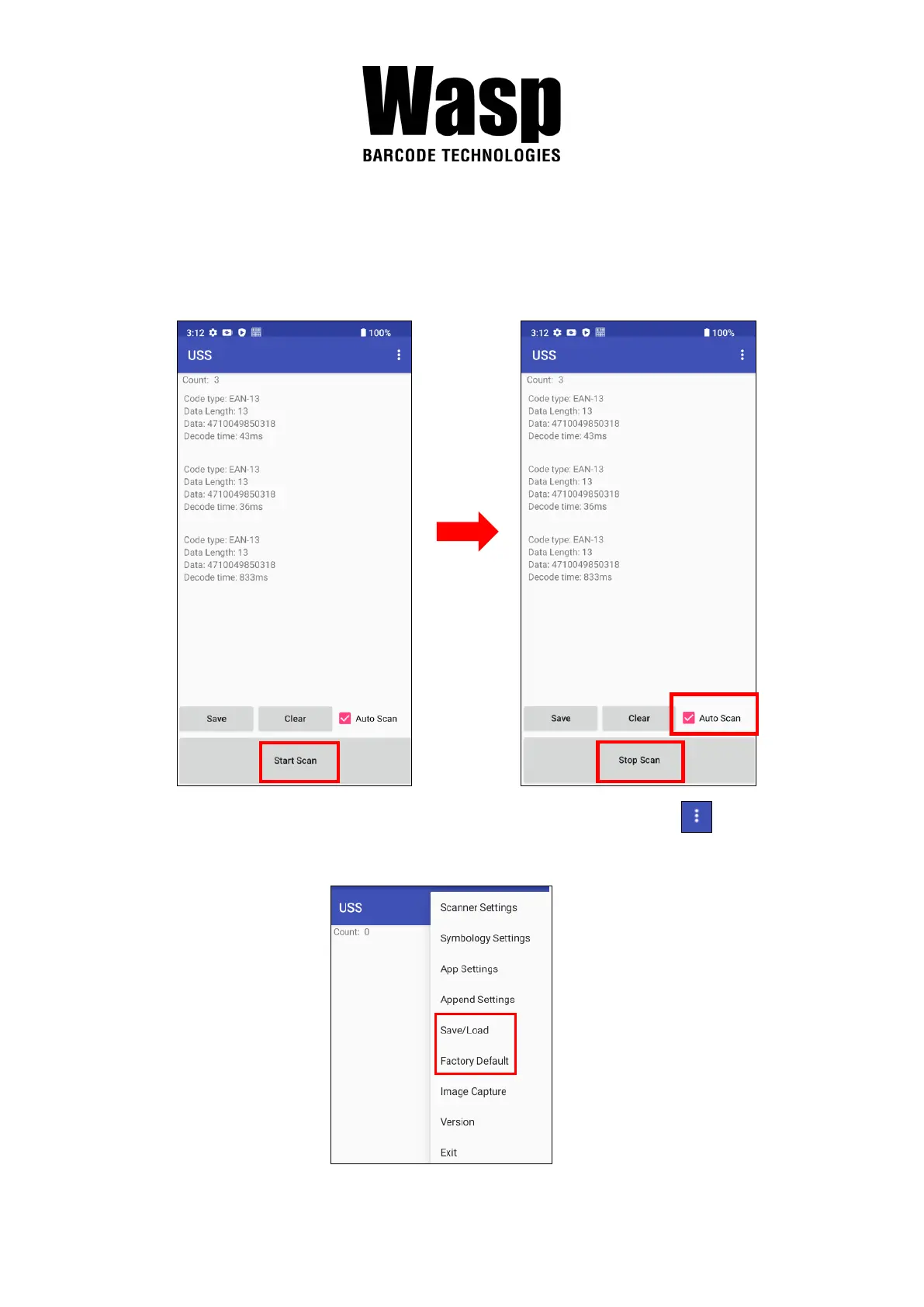
1. Please tap Start Scan to get ready for barcodes scan service.
You may tap Stop scan to stop scanning, and choose if you want to
scan under Auto scan mode.
2. For Save / Load Settings, and Factory Default, Please tap and to
select Save / Load Settings, and Factory Default.


 To Next Page