47
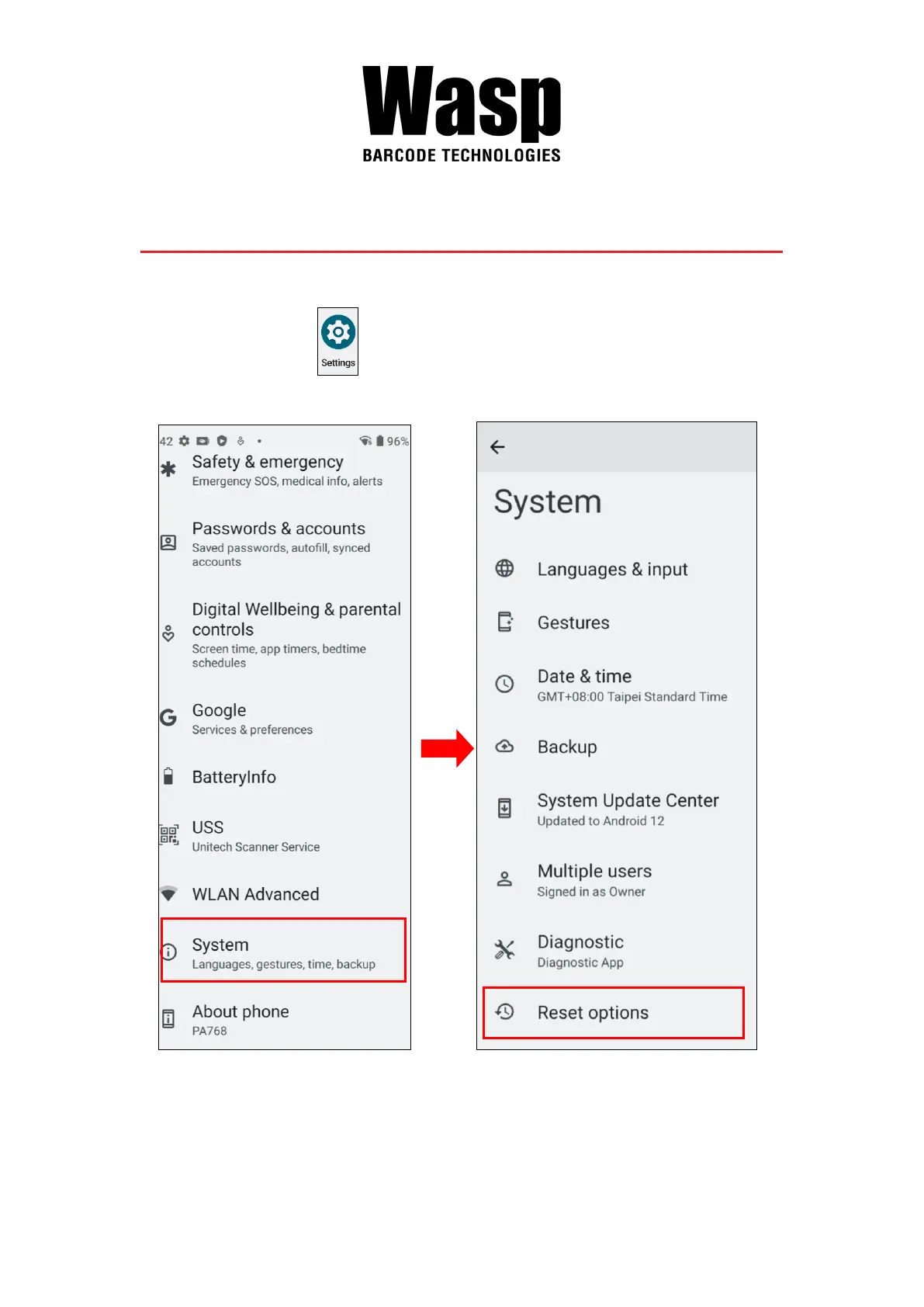
2.11 Performing Factory data reset
1. On the main screen, scroll the screen from bottom to top to reach the APPS,
and tap Settings → System, then select Reset Options.
Note: When you select Erase all data (factory reset) in the Reset Options, it
will erase all folders.


 To Next Page